Pick up your plan after a gap
You close what you missed and start again, without faking any of it.
On this page
Start again after a missed month
A month went by with almost no data, and you want to move on.
- 1
Open Execute on the month you missed
Skip that month's check-in
There is nothing useful to check.
- 2
Open this week's reflection
Write one paragraph about what stopped you
- 3
Open the milestones of a Summit Goal that slipped
Mark the milestone Off track
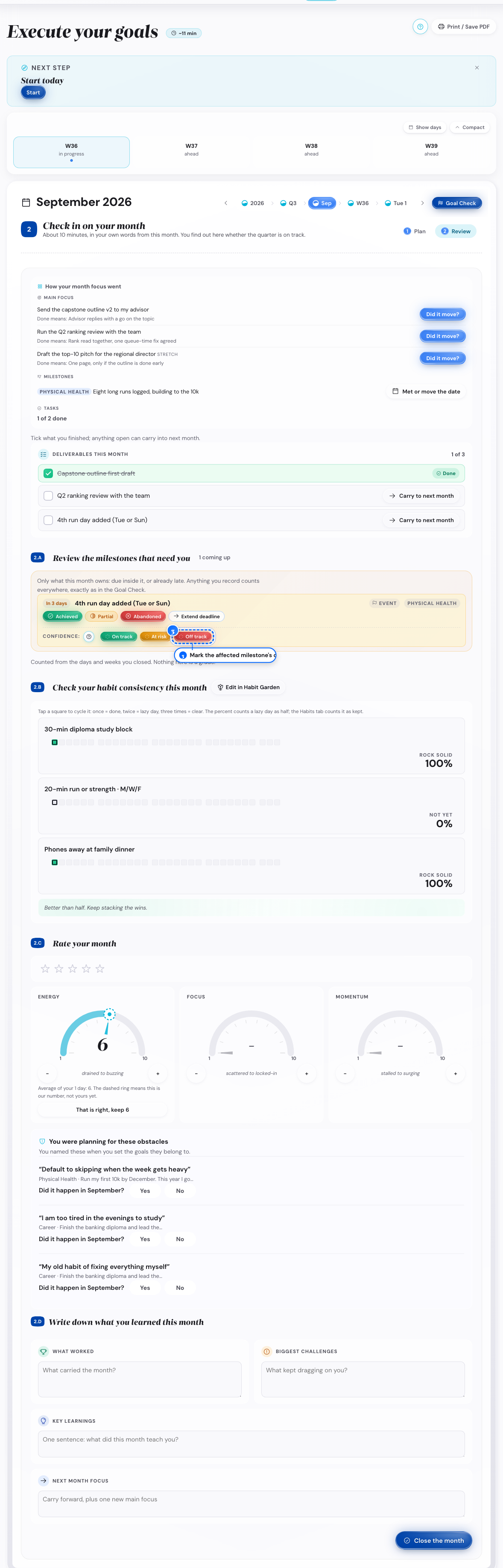
Desktop: the confidence row - 4
Open Today when you are ready
Turn on the lazy day version for one habit
- 5
Look at the weeks that follow
Add the other habits back, one a week
What follows
- The missed month stays in Open reviews until you open it or tap Let it go.
Start again after a missed week
A week went by with no reflection, and you want a clean restart.
- 1
Open Home and look at the Next step card
Tap Open
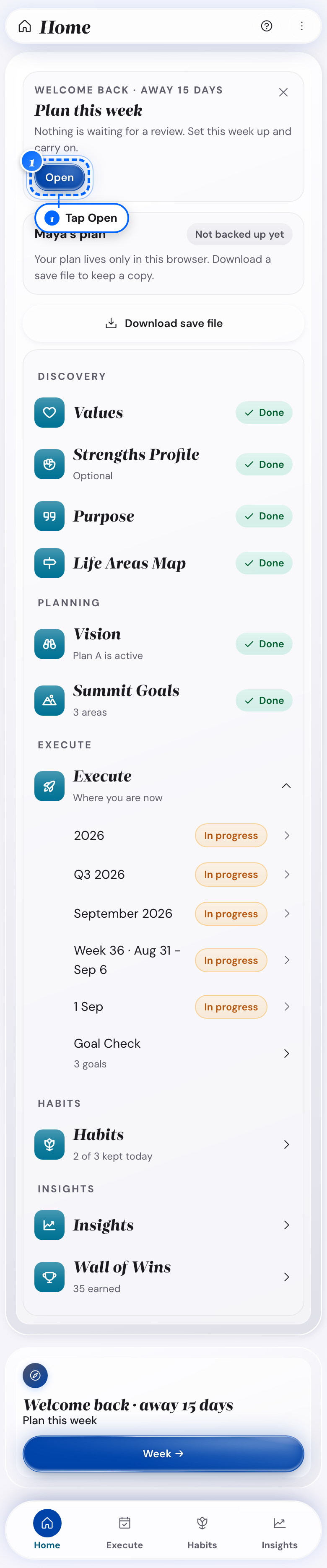
Phone: the Next step card - 2
Open Execute on a computer
Use the date row at the top to go to the week you missed
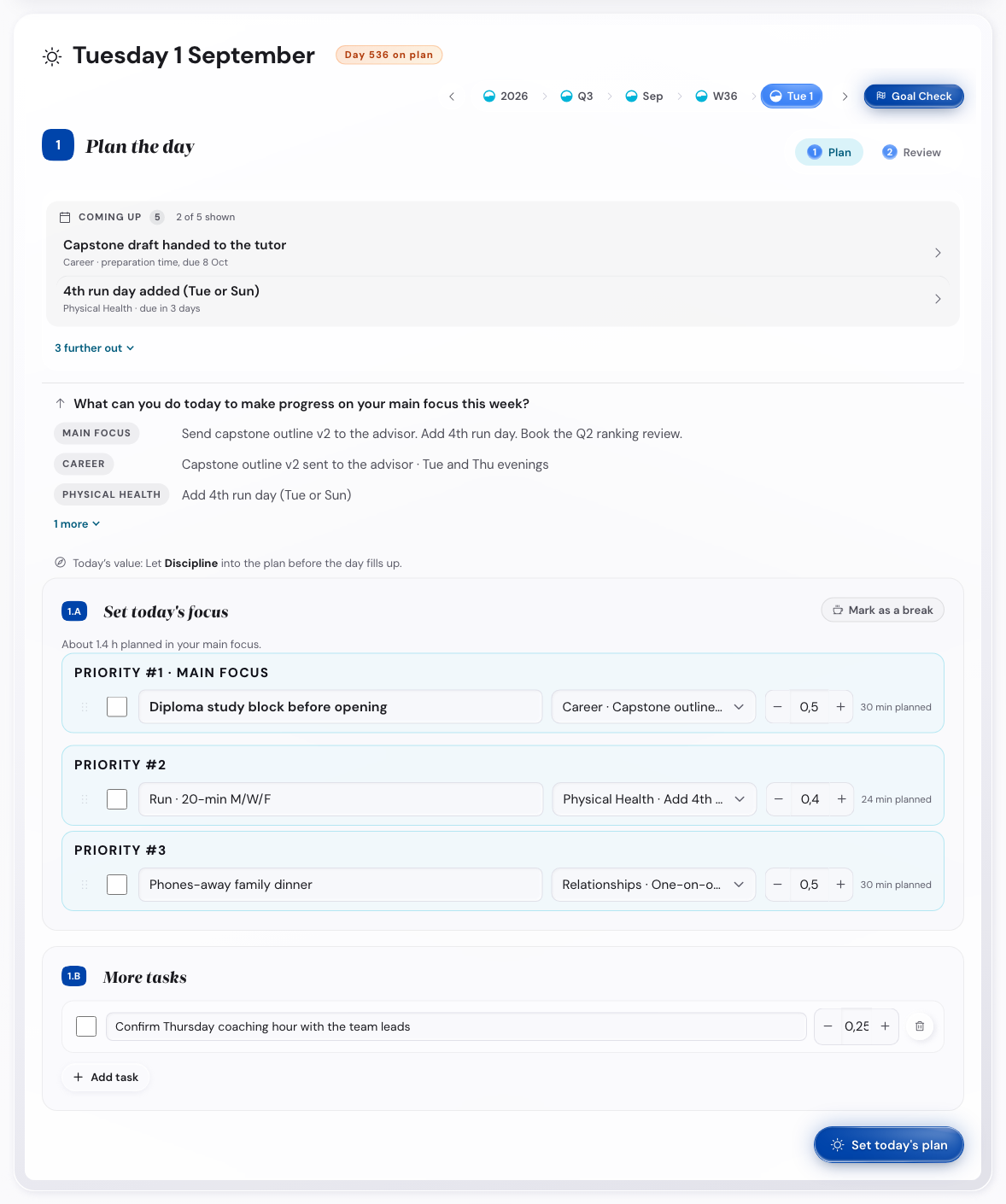
Desktop: Execute, with the date row at the top - 3
Find the missed week in that list
Tap Review to open it, or Let it go to skip it
- 4
Open this week's reflection
Write it fresh, and name the gap in the win field
- 5
Look at your habits
Mark only the days you remember
- 6
Look at the next few days
Turn on the lazy day version of each habit
- 7
Wait until the rhythm is back
Return each habit to its full version
What follows
- The Open reviews list has one row per closed period, not only weeks.
- On a computer, the Review button is Review now.
- A dip shows on Insights for the missed week.
- A review you let go does not come back.
Close a day you missed
One day went by unrecorded, and you want to close it quickly.
- 1
Find Reflect on yesterday on Home or Execute
Tap Start
Yesterday opens on its Review tab.
- 2
Look at yesterday's card
Check off the habits you did
- 3
Look at the reflection field
Leave it blank if you do not remember the day
What follows
- A day left blank still shows in Open reviews once its window passes.
Start again after three months away
You are back after three months or more, and you want a proper restart.
- 1
Open the app after 90 days away
Read the window titled It has been a while
- 2
Look at that window
Tap Open Vision to read your plan first
The Vision step opens.
- 3
Look at that window again
Tap Skip ahead, plan today
You go into the ordinary catch-up.
What follows
- The window comes back on your next visit until you tap one of its two buttons.
- After you choose, the window stays away until another 90-day gap.
See what a broken streak means
Your streak reset, and you want to know what that erases.
- 1
Open the habit's row in Habits or Insights
Compare the current and longest streak
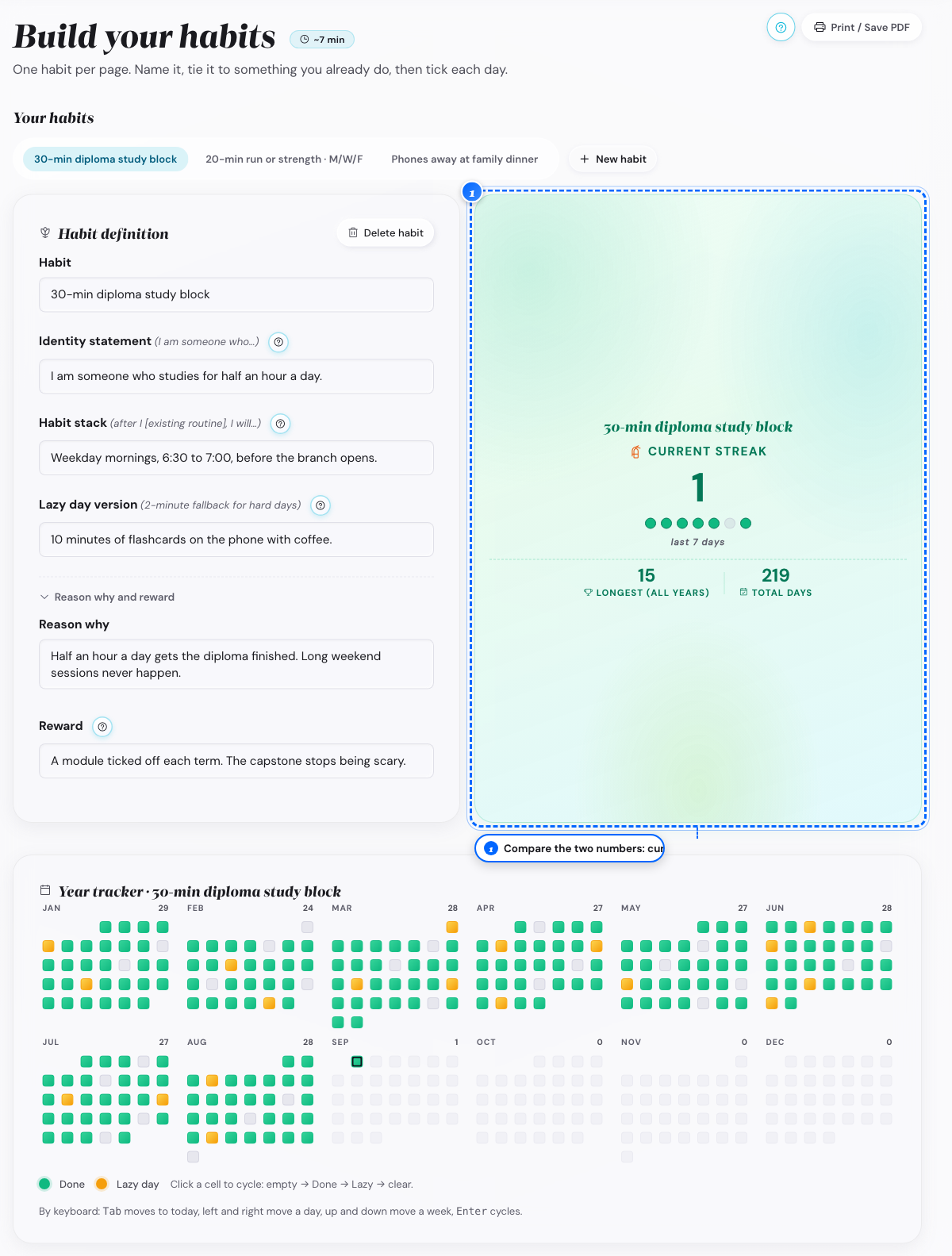
Desktop: the two numbers - 2
Look at the day after a reset
Start a new streak
The longest streak stays as it was.
What follows
- A Done mark or a Lazy day mark both keep a streak alive; only an empty day resets it.