Plan your day, week, month, quarter and year
You plan and look back on five cycles, from a 3 minute day to a year that takes about an hour.
What is on this page
The word for each session. Day and week are reflections. Month and quarter are check-ins. The year is a wrap-up.
1. Plan and reflect on the day, about 3 minutes
When you do it
~3 min · dailyThe app opens on the Day screen. Add a calendar reminder if you want one.
Where you do it

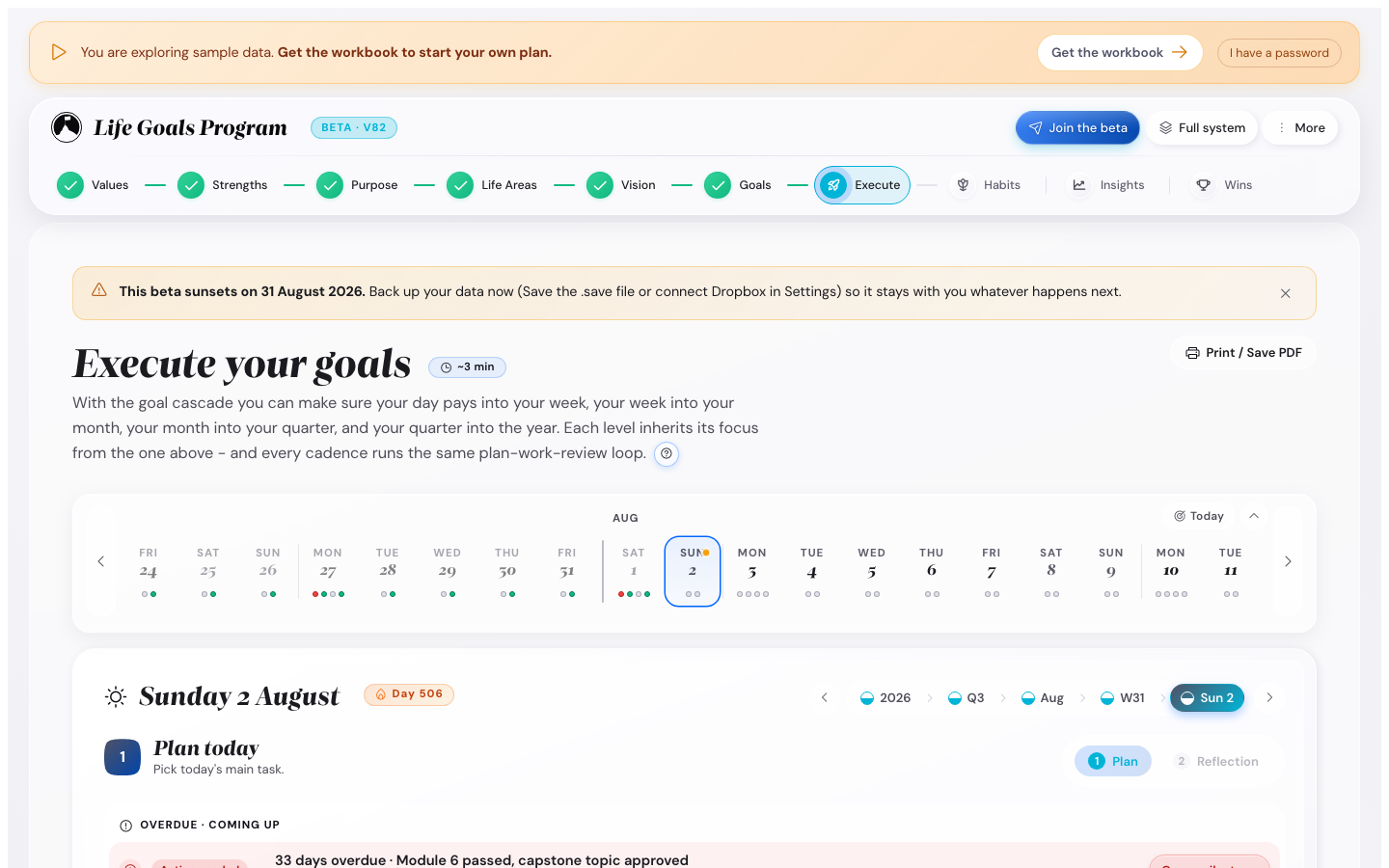
What you do
- Tick the habits you did today.
- Write one line in the reflection field.
- Add a line under One thing I learned today if you learned something.
- Tick the day's value line, or leave it blank.
- Press Close the day.
- Press Plan tomorrow and set tomorrow's priorities.
The daily value line. Each morning one of your five values shows on the Day screen, with a way to bring it into the day. In the evening you tick whether you did. Turn it off in Settings, under Appearance, at Daily value line.
Two badges start here. First 3-day streak comes when any habit reaches three days. The comeback comes when you tick a habit the day after a lazy day.
A longer prompt. For more to write each evening, set Settings, Cadence, Reflection depth to Long.
2. Look back on the week, about 10 minutes
When you do it
~10 min · once a weekOn the day you picked in Settings, under Reminders, open Execute and go to the week. Review is where you write the reflection. Set this week’s plan unlocks it, and so does the end of the week.
Where you do it
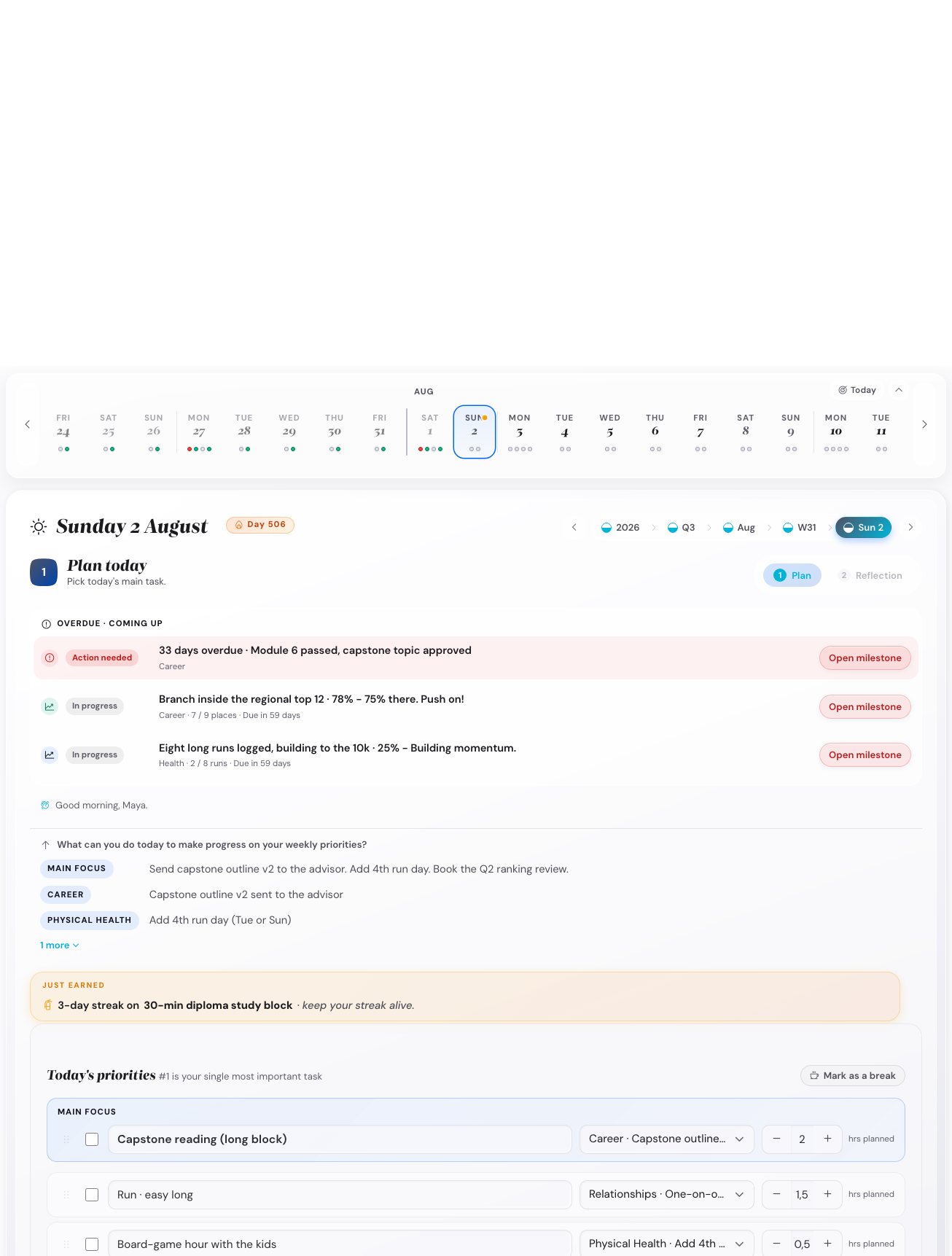
What you do
- Write one win from the week.
- Write one challenge from the week.
- Write your focus for next week under Next week’s focus.
- Write what you learned. Insights collects these under Recent learnings.
- Optional: set a new colour on any milestone whose status changed.
3. Check in on the month, about 10 minutes
When you do it
~10 min · once a monthOn the last day of the month, or on the first day of the next one.
What you do
- Open Execute, go to the month and open Review.
- Set green, amber or red on every milestone whose status changed.
- Answer for each obstacle in your Friction Map whether it happened this month.
- Write what you learned under Key learnings.
- Press Close the month.
What this catches. The month is where an amber milestone shows up before it turns red. Skip it and you find out at the end of the quarter.
4. Check in on the quarter, about 20 minutes
When you do it
~20 min · every twelve weeksAt the end of a quarter, once you have set the quarter's plan.
Where you do it
What you do
- Open Execute, go to the quarter and open Review.
- Set On track, At risk or Off track for each annual goal.
- Choose for each goal at risk or off track: rescue it, move it or retire it.
- Read your active vision again and ask whether it still fits.
- Press Close the quarter.
- Press Plan next quarter and pick three to five milestones.
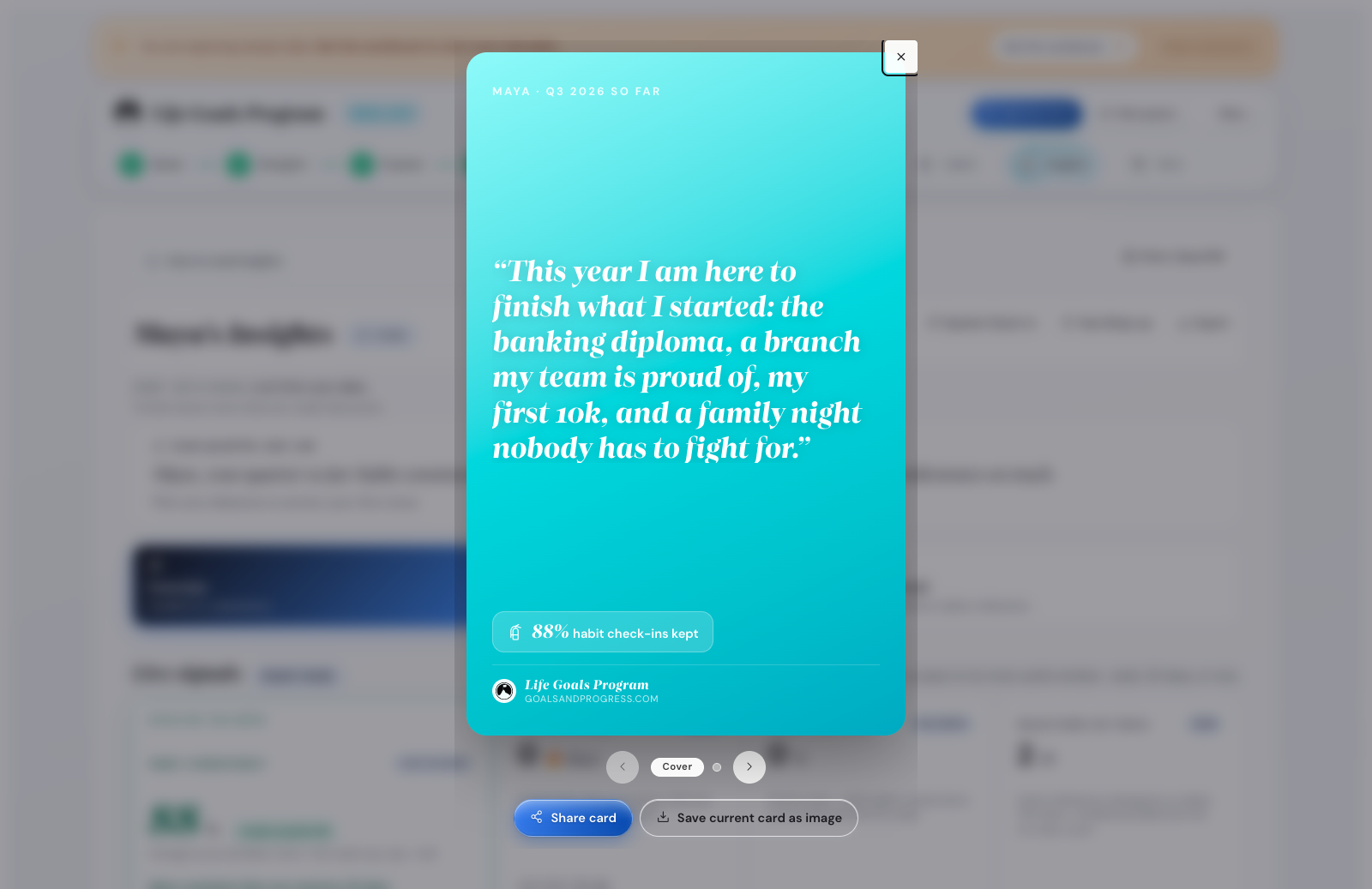
- Optional: in Insights, open Quarter check-in and press Save as image.
5. Close the year, about an hour
When you do it
~60 min · once a yearAt the end of your year, which you set in Settings, under Planning.
What you do
- Open Execute, go to the year and open Review.
- Read the year overview with your milestones, habits and streaks.
- Set a status for each open milestone, and say how each goal ended.
- Write what worked, what to retire and what to add.
- Read your active vision again, and rewrite it if it has moved.
- Read your Summit Goals again, and check that they still fit before you plan next year.
Wall of Wins first. Open Wall of Wins before you start. It shows every milestone you hit and every badge you earned this year.
How to run fewer than five
You can run all five, or fewer. These are the common patterns.
- Keep the day and the week only. That is the minimum for your first 90 days.
- Keep the day and the week, and add the quarter for slow-moving goals.
- Keep all five. The month catches drift inside four weeks.
To put all five in your calendar, open Settings, then Reminders.
What goes wrong most often
You do the daily one and nothing else. The day takes about three minutes, so it is the easy one to keep. Put the weekly slot in your calendar first.
You skip the month because you did the week. They do different jobs. In the week you look at what worked. In the month you look at whether a milestone is still green.
You leave the year to the last day of December. Do it in early January instead, when the holidays are over.
Where to go next
- Open the calendar export to put all five in your calendar.
- Read a plan that runs all five, or a lighter year.
- Open the daily and weekly rhythm answers, or catching up after a gap.