Save, load, print and reset your data
You back up your plan, move it, print it, or clear it.
On this page
Keep your plan in Dropbox
You want your plan in your Dropbox, with no file to move.
- 1
Open Settings, then Data & backups
Find the Dropbox card
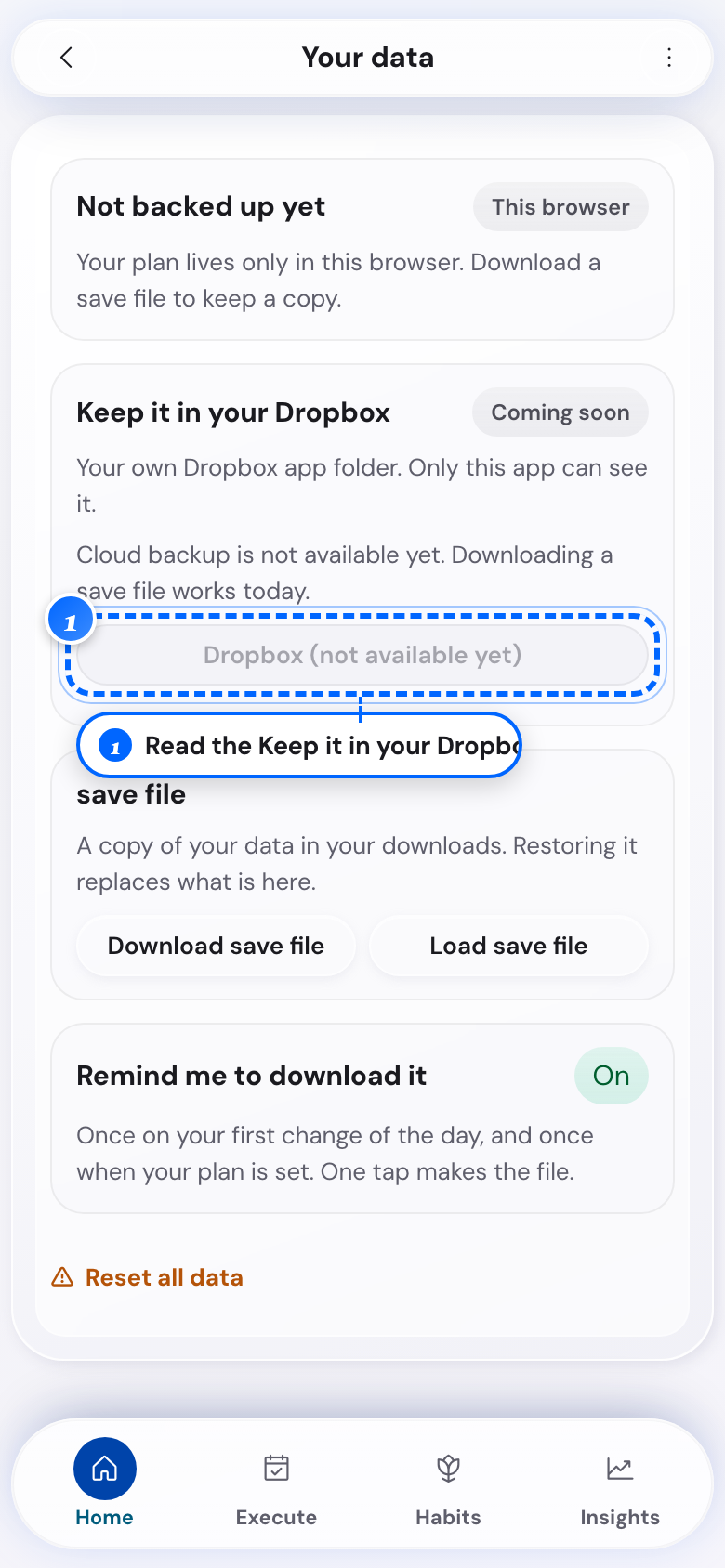
Phone: the Dropbox card 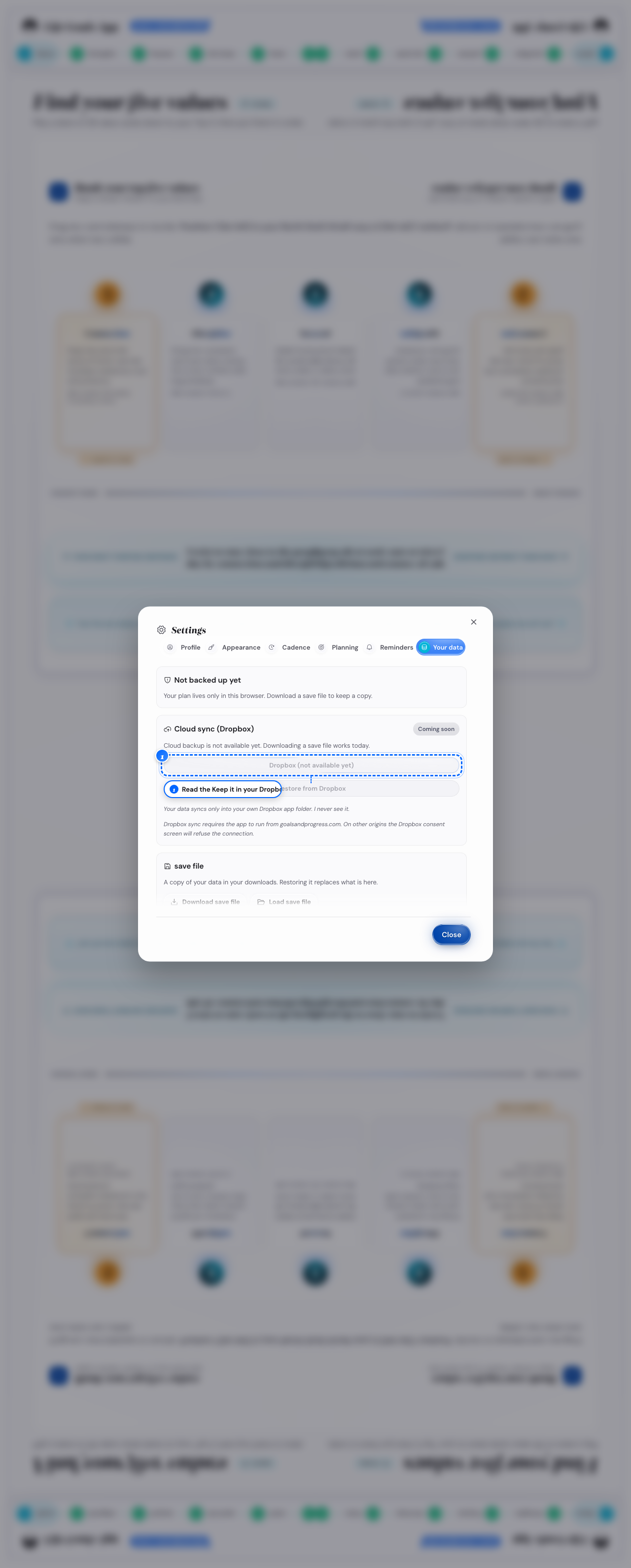
Desktop: the Dropbox card - 2
Look under that card
Tap Connect Dropbox
Dropbox asks you to sign in and to allow the app its own folder.
- 3
Open the same card on your other device
Tap Connect Dropbox there
An empty device brings the plan in by itself. A device with its own plan shows the card A newer plan is in your Dropbox. Use the Dropbox plan keeps the Dropbox plan. Keep this device's plan keeps the plan on this device. The plan you do not keep goes into your Dropbox folder first.
What follows
- Your plan goes into a folder in your Dropbox after each change. This app can open that folder and nothing else in your Dropbox.
- When the app cannot reach Dropbox, it keeps your plan in this browser and tries again by itself.
- Open Settings, then Data & backups: the Dropbox card lists the dated copies, each with Restore.
- When two devices changed the plan, nothing goes up until you pick the plan to keep.
Download a save file, and load it back
You want a save file of your plan, or you want it on another device.
- 1
Open Data & backups in Settings
Tap Save
The file goes to your device.
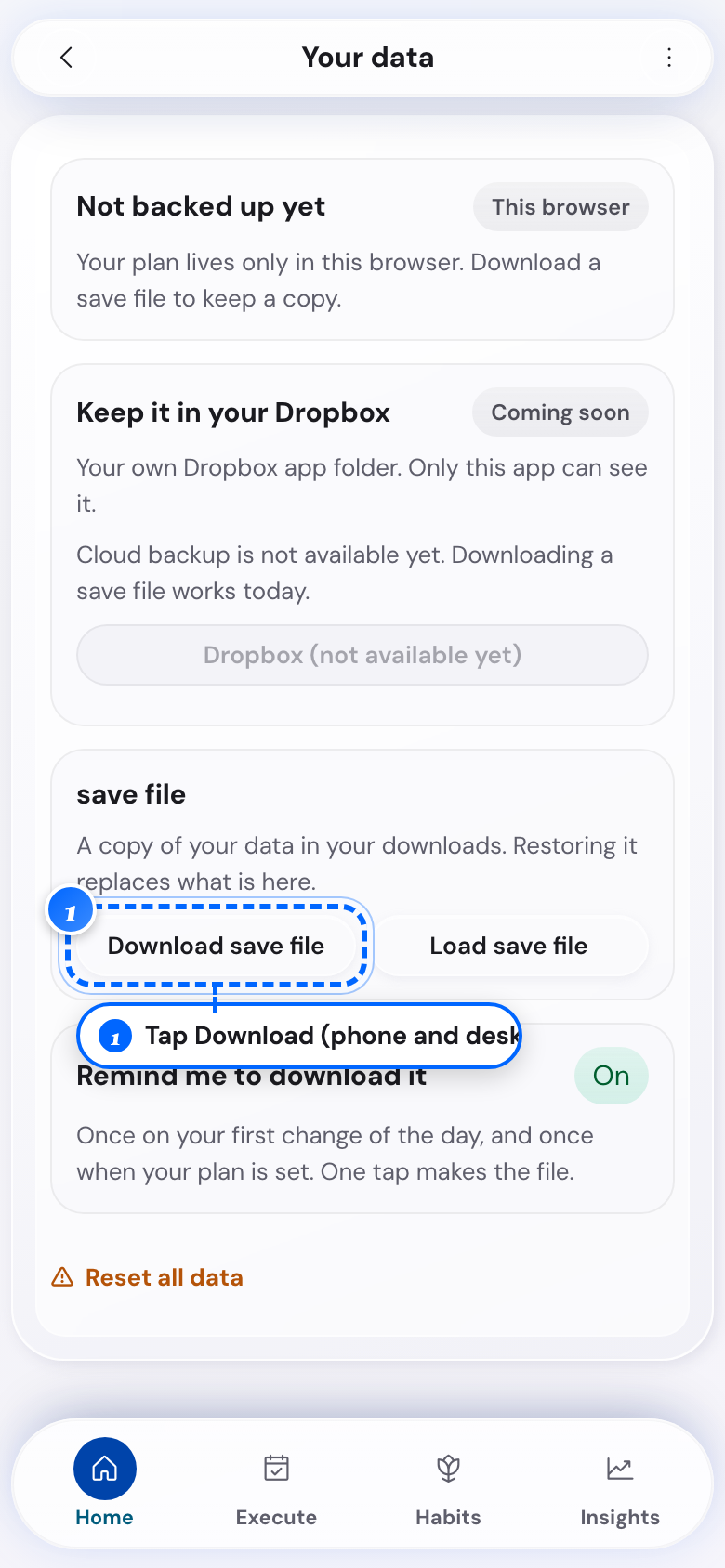
Phone: the save file card - 2
Open that group on the other device
Tap Load
Your file picker opens.

Phone: the load button - 3
Open the save file card on a computer
Tap Save or Load
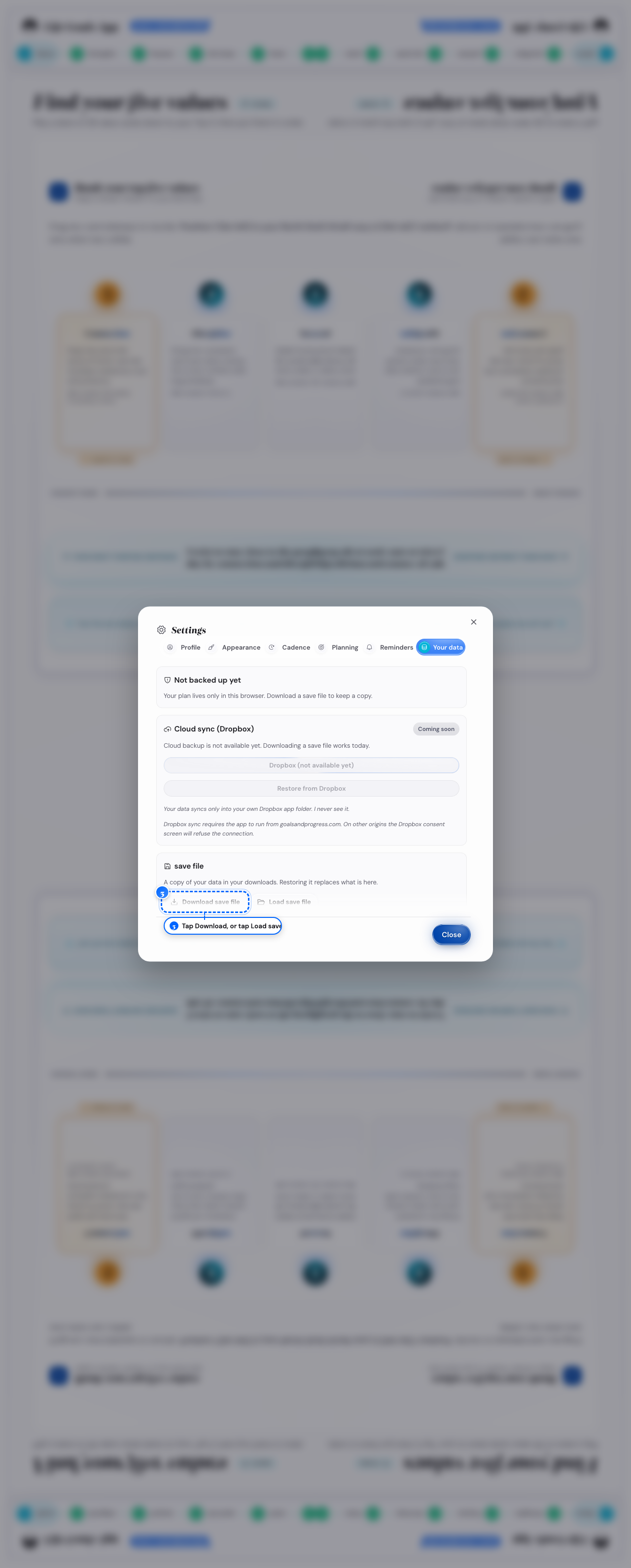
Desktop: the card on a computer - 4
Look in the file picker
Choose your .save file
Confirm load opens, with a warning that this replaces everything. It shows the plan in this browser next to the file, with the newest date of each.
- 5
Look in Confirm load
Tap Save first, or go straight to Load file
Cancel backs out with nothing changed.
What follows
- A file you load replaces the plan you have, and there is no merge.
- A file from a newer version of the app does not load until you reload the page online.
- You can undo in the same tab with Ctrl+Z, and after that only another save file helps.
- If a file does not load, tap Repair on the same card, then Choose a file. Repair tries to fix it and keeps everything that is intact. Your file stays as it is.
- Before the repaired file loads, you see what came back and what is missing.
Export your plan to your calendar
You want your reflection and check-in times in your calendar app.
- 1
Open Settings, then Guidance & reminders
Tap Reminder calendar
The wizard opens on its first step.

Phone: Reminder calendar 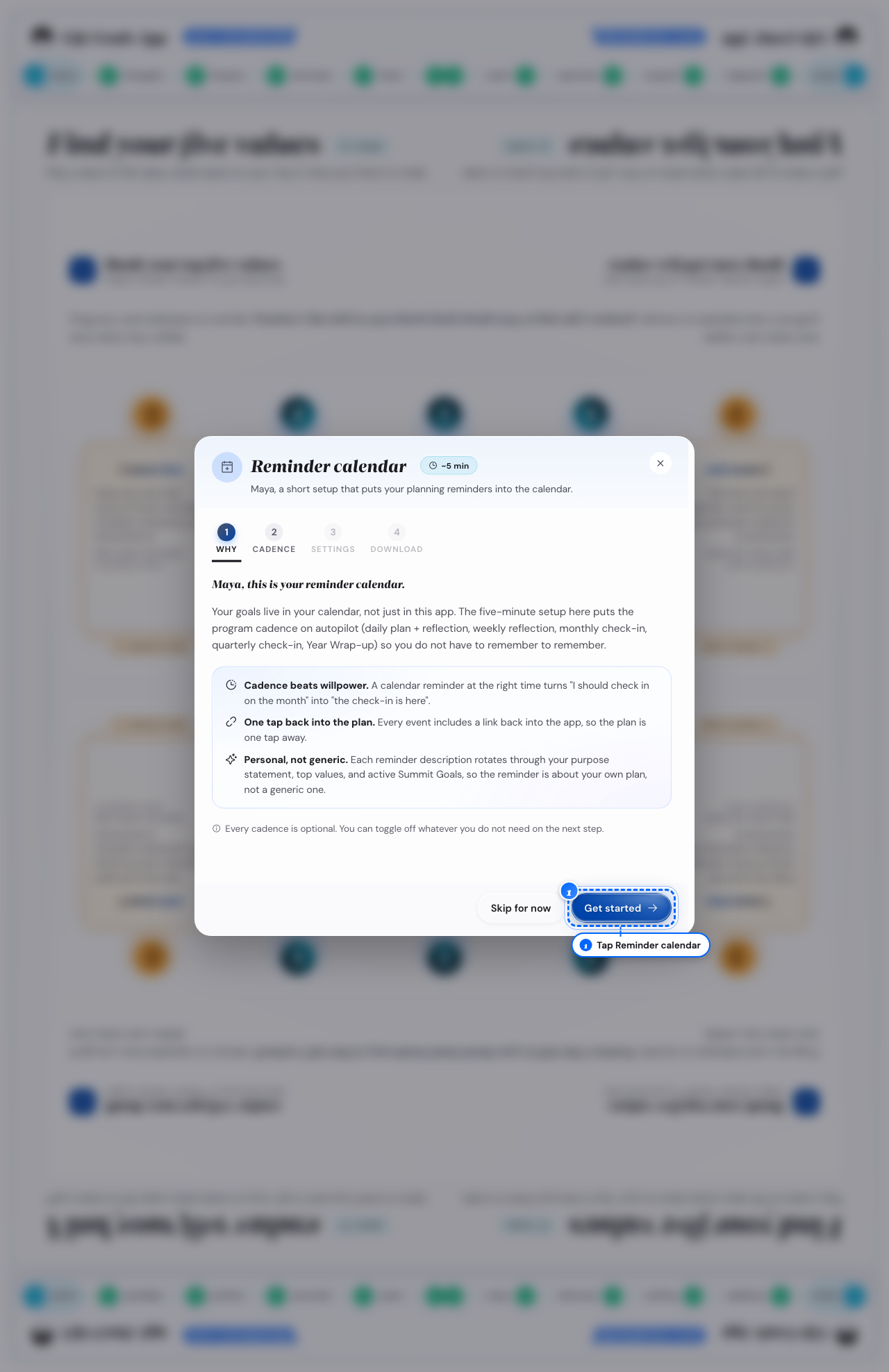
Desktop: Reminder calendar - 2
Look at the first step
Tap Get started to begin
The wizard moves into Cadence, starting on Daily.
- 3
In the wizard, open Cadence
Turn it on or off, and set its time or day
- 4
In the wizard, open Settings
Set the calendar's name and how far ahead it runs
- 5
Look at the last step
Tap Download calendar file
The file downloads with a short import note.
What follows
- A new schedule means opening Reminder calendar again and importing a new file.
- A habit gets its own reminder once you have named it in Habits.
Print your plan, or save it as a PDF
You want your plan on paper, or as a PDF.
- 1
Open the More menu
Tap Print plan
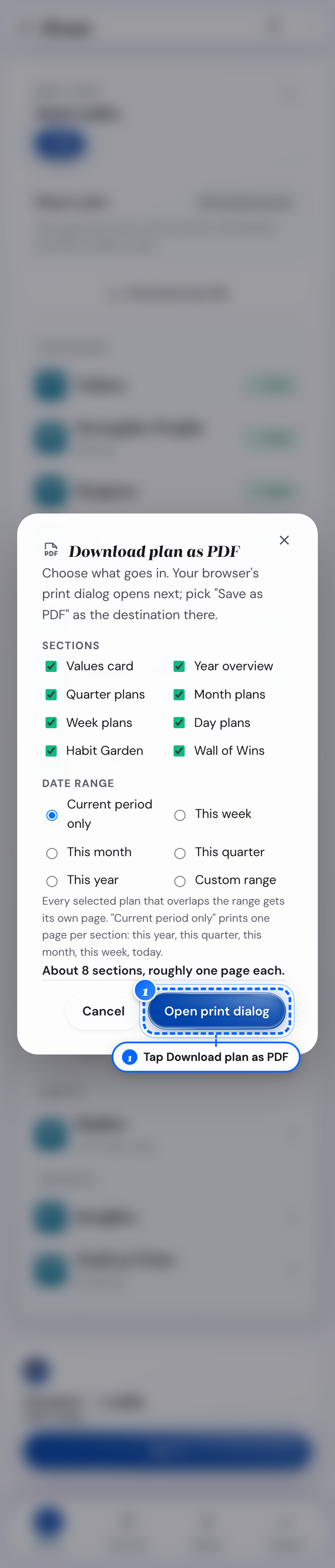
Phone: the window 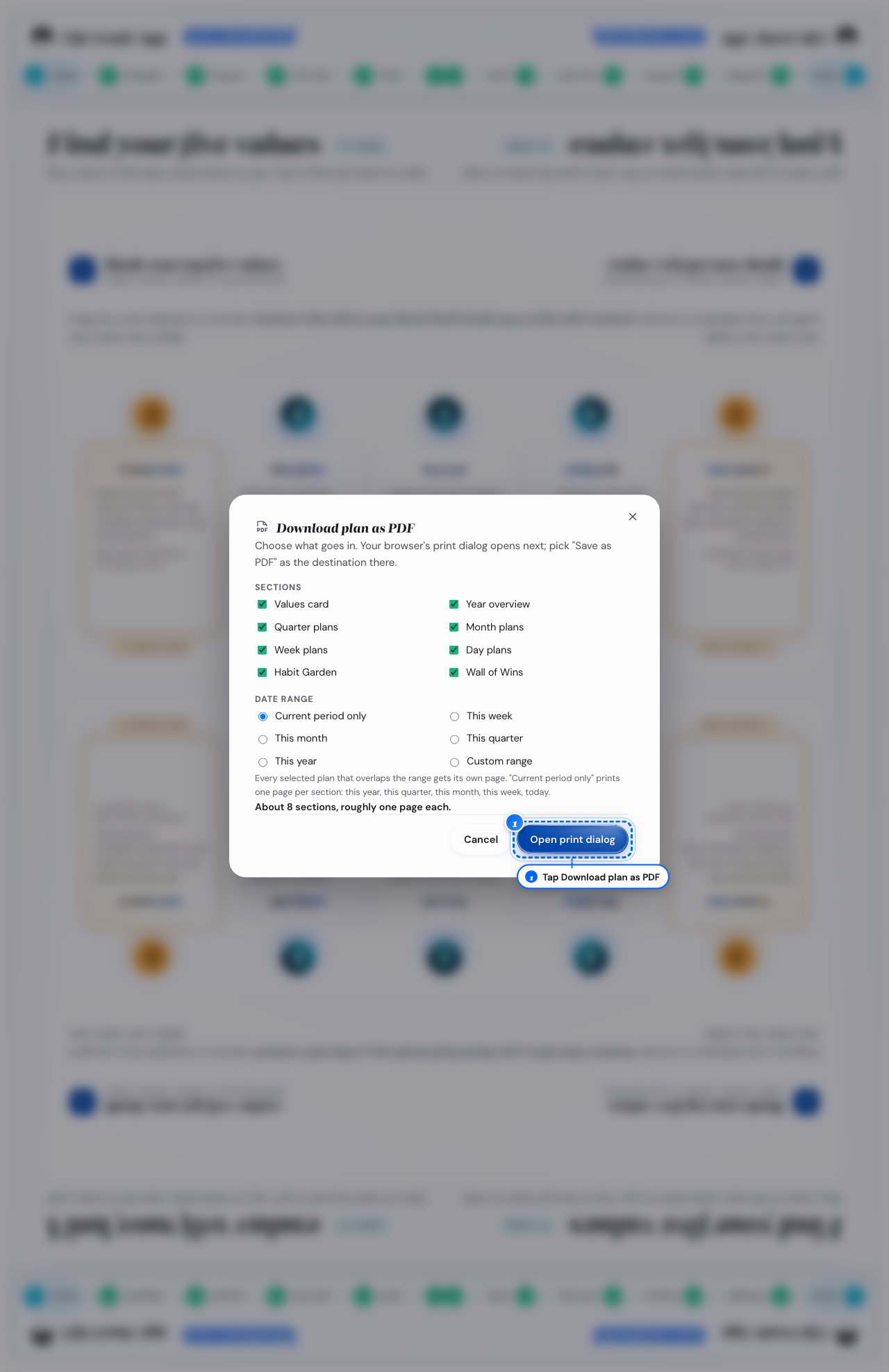
Desktop: the window - 2
Look under Sections
Uncheck anything you do not want
- 3
Look under Date range
Pick a current period, a timeframe, or a custom range
- 4
Look at the bottom of that window
Tap Print / Save PDF
Your browser's own print dialog opens.
- 5
Look in your browser's print dialog
Pick a printer, or choose Save as PDF
What follows
- The sections print their own layouts, from day sheets to a year grid per habit.
- A Print / Save PDF button on many screens prints only that screen.
Reset all your data
You want to start over, and you want to know what that erases.
- 1
Open Settings, then Reset all data under Data & backups
Check I understand these actions are permanent
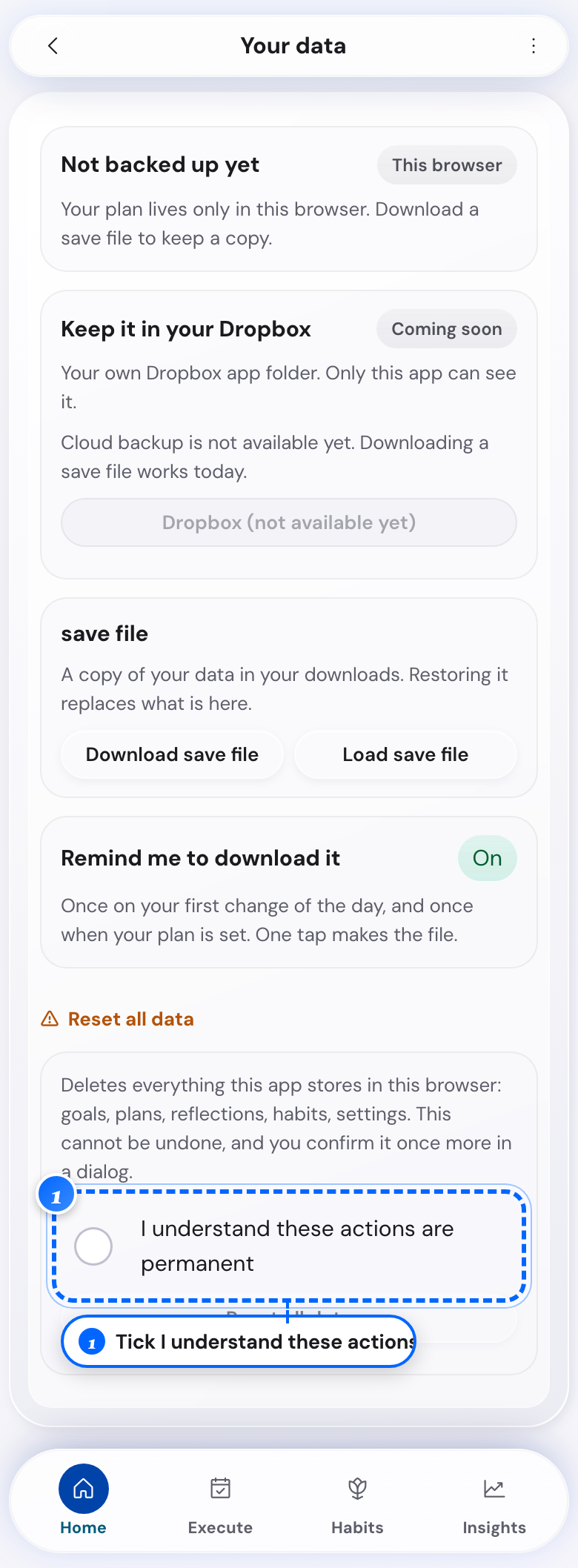
Phone: the checkbox - 2
Open that section on a computer
Check that box
The reset button is ready.
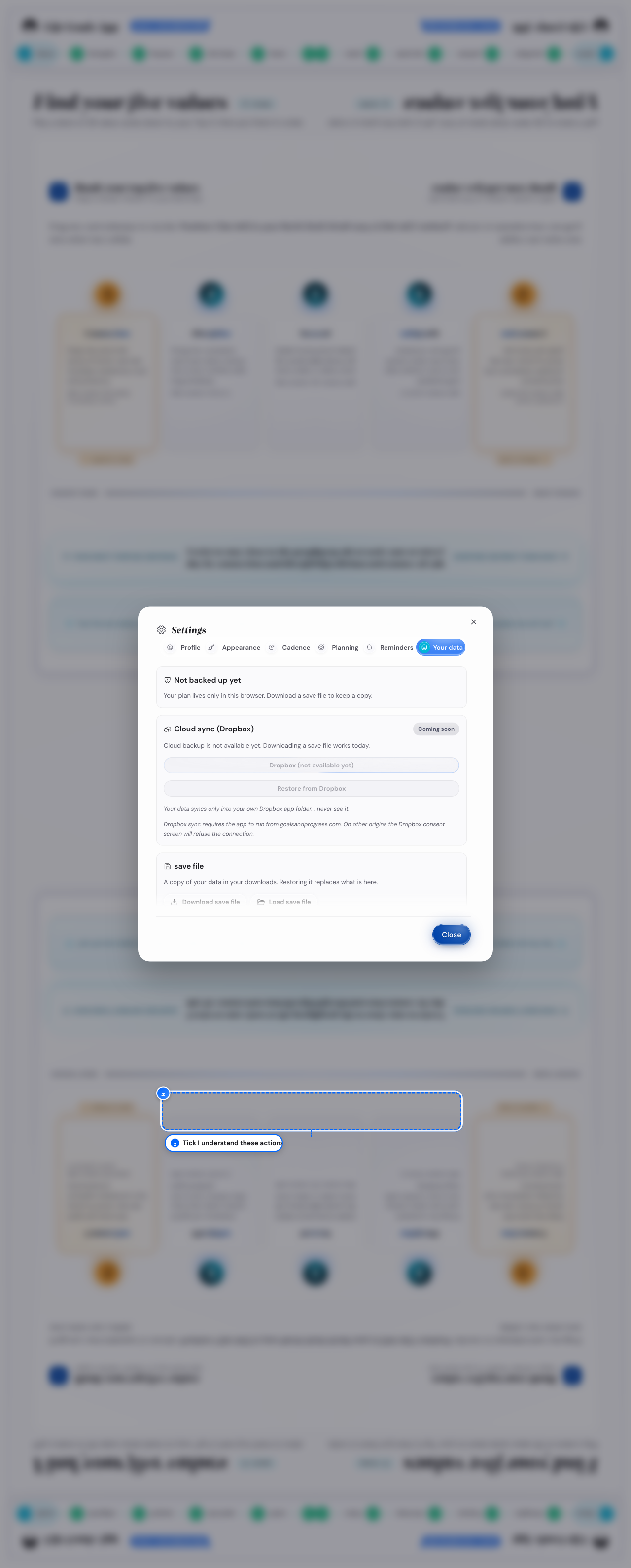
Desktop: the checkbox - 3
Look next to that box
Tap Reset all data
The Reset all data? window opens.
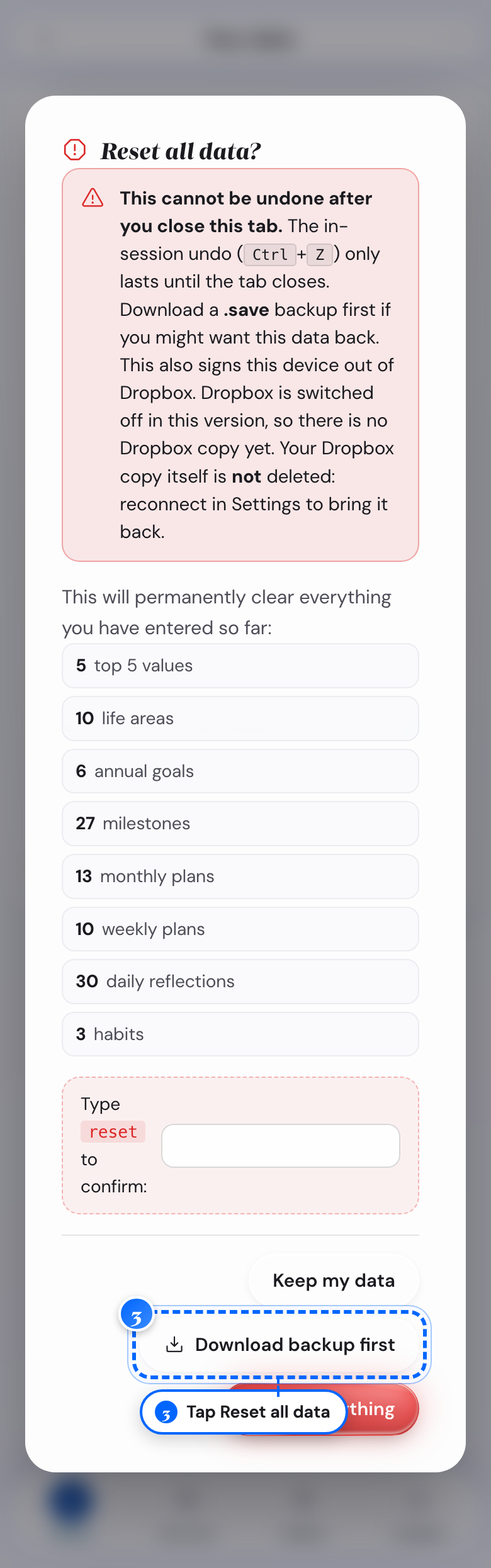
Phone: the window 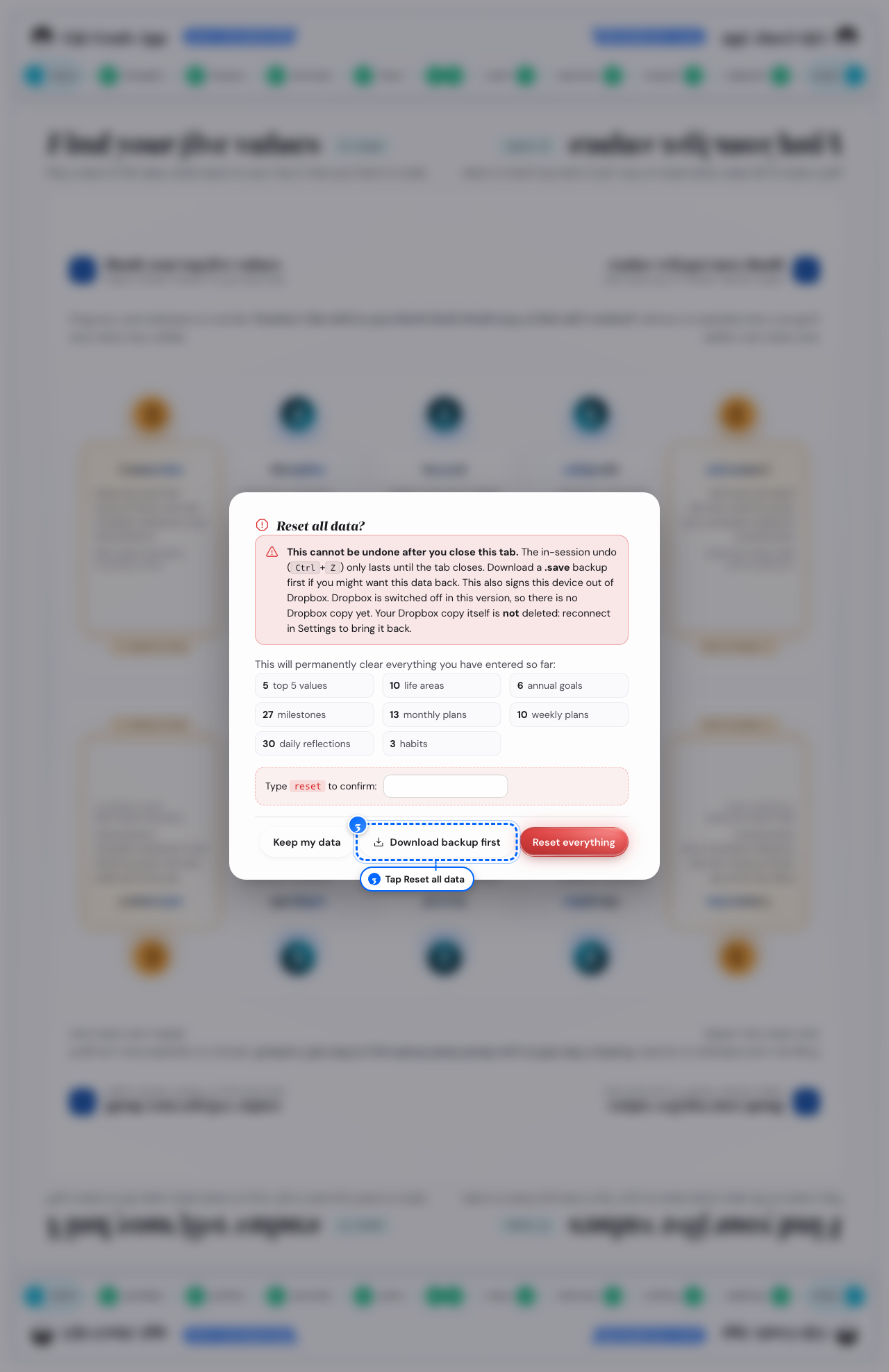
Desktop: the window - 4
Look in that window
Read the list of what a reset erases, and tap Save first
- 5
Look at the type-to-confirm field
Type reset
- 6
Look at Reset all data
Tap it once the word matches
The welcome guide opens, as on your first visit. This also signs this device out of Dropbox. Your files in Dropbox stay. To delete them, delete the folder
Apps/Goals & Progress Life Goals App/in your Dropbox.
What follows
- You cannot undo this after you close the tab; Ctrl+Z lasts only until then.
- Keep my data closes the window with nothing changed, at any point before the reset.
- To keep part of your plan, tap Start fresh on the Fresh start card instead. Make room keeps your plan and the last 12 months. Start over keeps only the steps from Values to Summit Goals and your habits.
Turn on the daily backup reminder
You want a nudge to download a save file, instead of remembering.
- 1
Open Settings, then Data & backups
Turn on Remind me to download it

Phone: the reminder switch - 2
Open that group on a computer
Turn the switch on there too
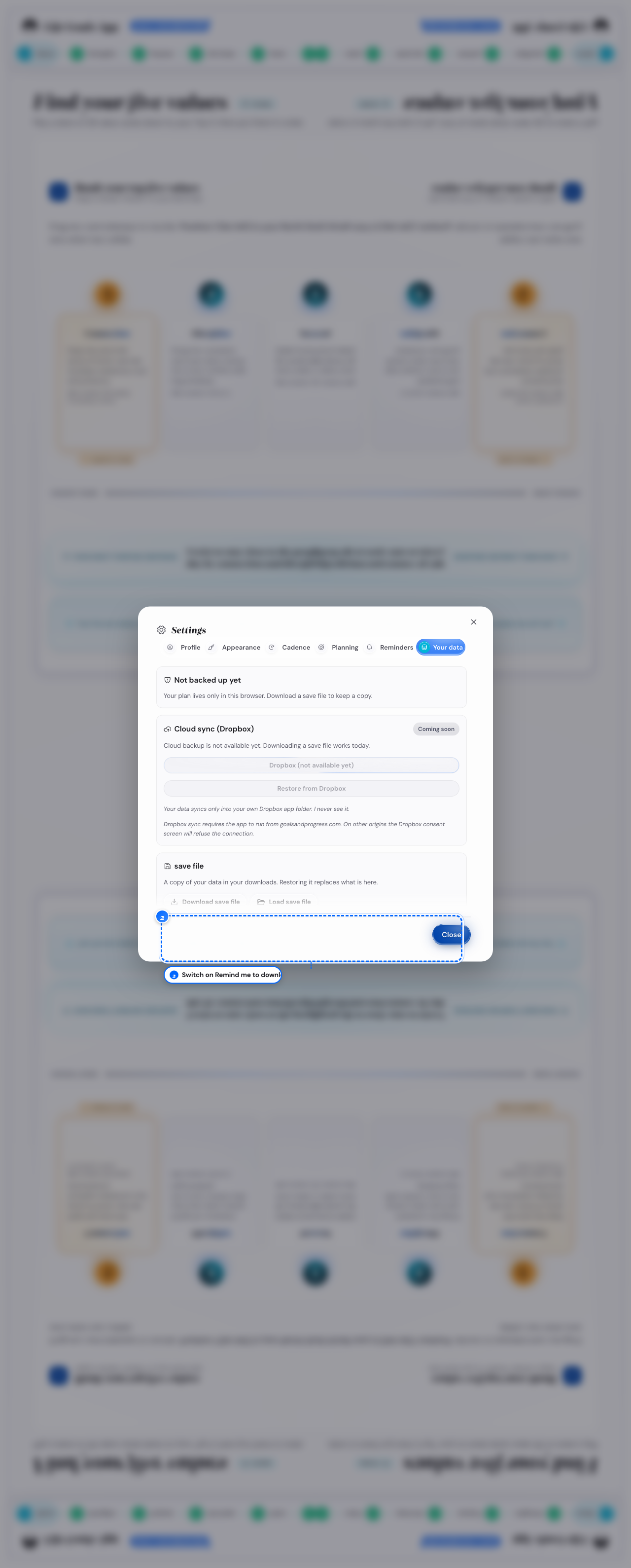
Desktop: the reminder switch
What follows
- The reminder shows on your first change of the day, and one tap makes the file.
- After 7 days with no save file, a card shows Save and Remind me in 3 days.