Find your way around the app on a phone
You learn the four tabs at the bottom and the windows they open.
On this page
Find your way around the phone
You want to know what the four tabs and the Home screen open.
- 1
Look at the bottom of the screen
Tap Home, Execute, Habits or Insights
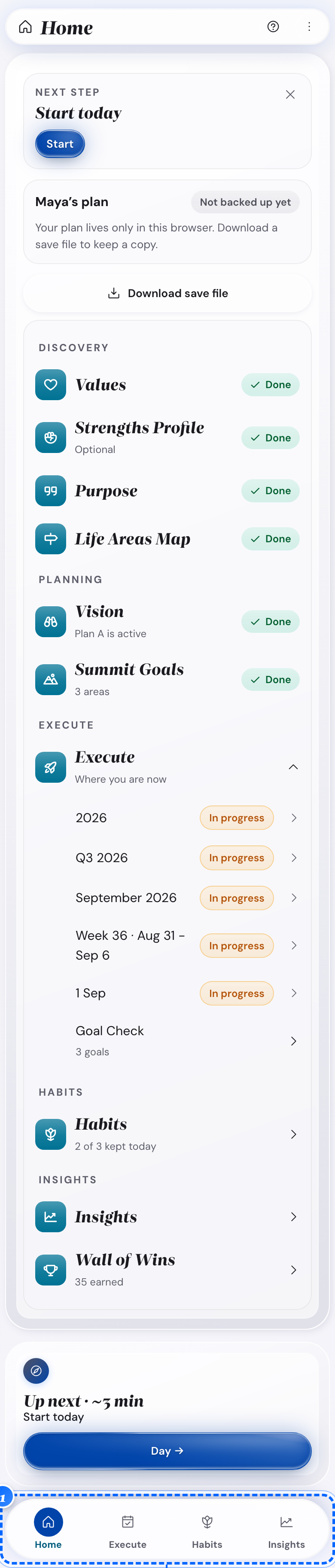
Phone: the four tabs - 2
Look at the first card on Home
Read the Next step card
It shows what to do now.
- 3
Tap the button on that card
Go straight to that step

Phone: the button - 4
Scroll down the Home screen
Read the rows under Discovery, Planning, Execute, Habits and Insights

Phone: the rows on Home - 5
Open Execute on today's panel
Tap Plan the day or Reflect on today
What follows
- The Goal Check and Wall of Wins rows appear once they have something to show.
Open Settings from the More menu
You want any Settings group, starting from one place on the phone.
- 1
Look at the app bar
Tap the three-dot button
The More menu opens.
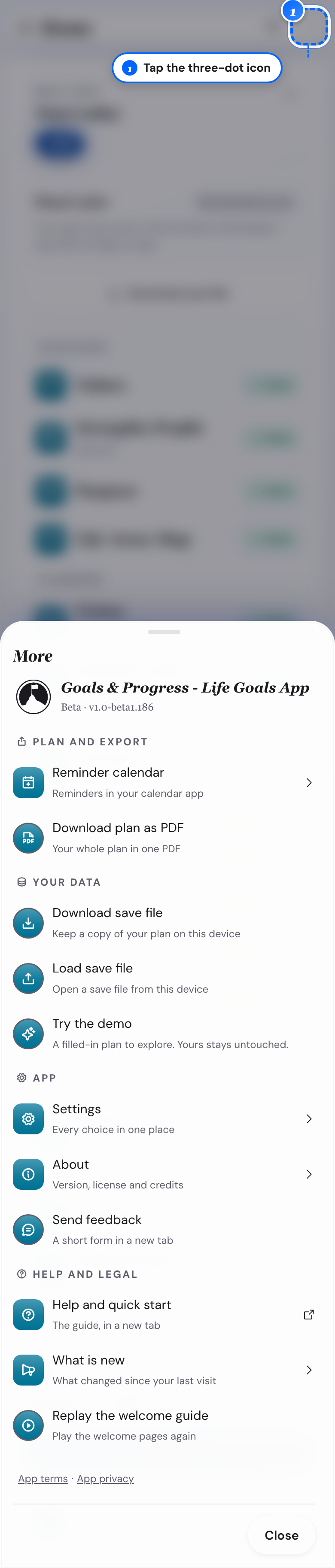
Phone: the More sheet - 2
Look in the More menu
Tap Settings
- 3
Look at the settings list
Tap Profile & access, Planning experience, Goals & calendar, Appearance, Guidance & reminders or Data & backups
- 4
Open the More menu on a computer
Tap Settings for the same six groups
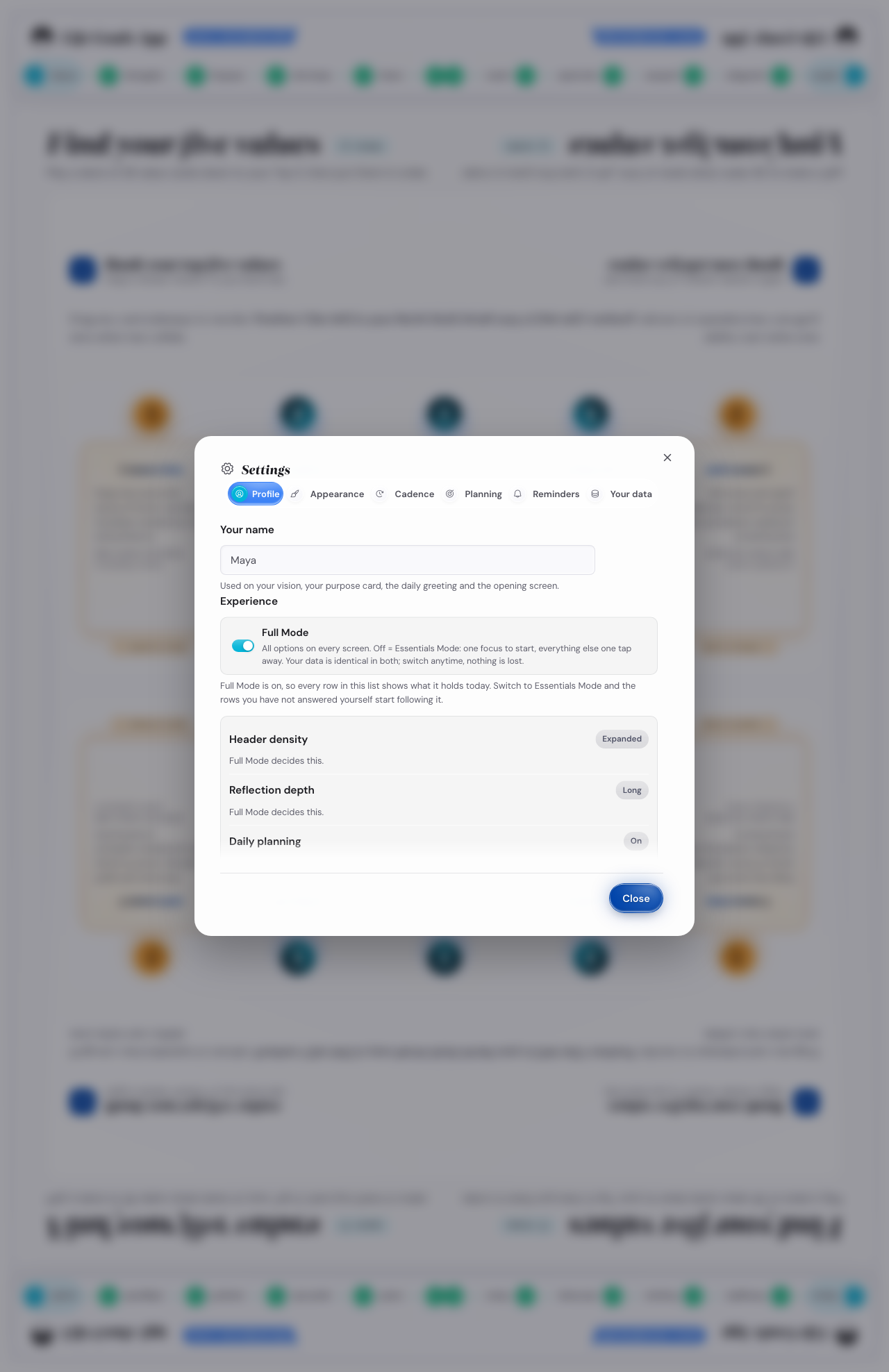
Desktop: the settings window
What follows
- The More menu also lists Explore the app, Save and Load.
Open the help window from a question mark
You do not know a word on a screen, and a question mark is next to it.
- 1
Look at the question mark on a computer
Hover it to read the meaning
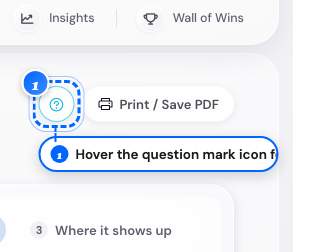
Desktop: the small note - 2
Tap the question mark on either device
Open the full help window

Phone: the help window
What follows
- The window gives the meaning, why it matters, how it works and where the idea comes from.
Open another week, month or year from the bar title
You want a different week, month or year without stepping through each one.
- 1
Open Execute on a week, month, quarter or year panel
Tap the bar title
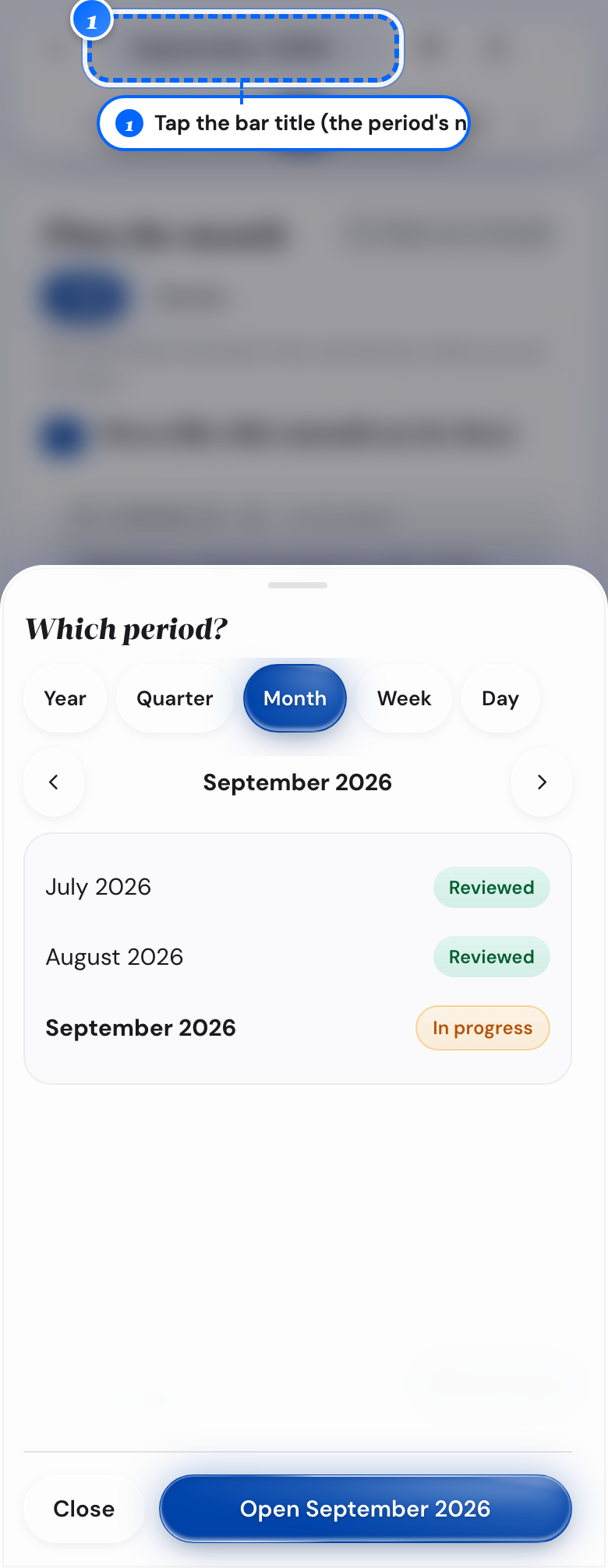
Phone: the bar title - 2
Look at the timeframe tabs in the Which period? window
Tap another timeframe, or keep the one shown
- 3
Look at the list under the tabs
Tap the period you want
Nothing moves yet.
- 4
Look at the bottom of the window
Tap Open
The panel switches to the period you picked.
What follows
- The bottom button shows Open with the period you picked.