Goals & Progress


A vision board with a next step
Build a vision board from words, icons, and (if you want) your own photos, then turn the pictures into a plan you can actually start. No signup, no downloads, and everything stays on your device.
Most vision boards look inspiring and then gather dust, because a collage of images has no next step. This maker is different. It treats your board as the Vision layer of a larger system: once your board captures where you want your life to go, the tool helps you name one Summit Goal direction, pick a first step for this Focus Quarter, and write a simple if-then plan for the obstacle most likely to stop you. That is the bridge from a nice picture to real movement.
Start below by picking a template. Fill each tile with a short future-self statement or a single word, add an icon and a color, and the board takes shape as you go. Photos are optional. Your progress saves automatically in this browser.
Picture the life you are working toward, then turn the top images into a first step you can take this quarter.
Pick a template
Choose the shape of your board. The Life Areas template mirrors the ten areas of the Life Areas Map, so you can scan your whole life at once. You can change template later without losing your words.
Fill your board
Tap any tile to add a short future-self statement or a single word, an icon, and an accent color. A photo is optional. Words work perfectly on their own.
Make it real
A board points at a direction. A plan starts the walk. For your first one to three tiles, name the Summit Goal they point toward (where this could lead in five to ten years), the first step you will take this Focus Quarter, a short if-then plan for the obstacle most likely to get in the way, and one habit that keeps it moving week to week. This is the same structure the Friction Map uses in the full method.
Export your board
Save your board as an image for your phone or desk, or print a clean “Vision to Plan” sheet that lists your tiles alongside the Summit Goal directions, first steps, and if-then plans you just wrote.
Board as an image
A PNG of your board, photos included, ready to set as a wallpaper or print.
Poster to print
A high-resolution PNG sized for a full page at 300 DPI, sharp enough to frame.
Vision to Plan sheet
A printable page with your board items and the plan behind your top tiles.
What this tool does
This is a free digital vision board that does not stop at the collage. In a few minutes you can:
- Choose from six vision board templates, including a Life Areas grid built on the ten areas of the Life Areas Map, plus focused layouts for a single year, a career, health and energy, relationships, or one big priority.
- Fill each tile with a short future-self statement or a single word, a curated icon, and an accent color. Add one of your own photos if you want, or keep it words-first.
- Turn your top one to three images into direction with the "Make it real" step: a Summit Goal, a first step for this Focus Quarter, and an if-then plan for the obstacle most likely to stop you.
- Export the board as an image, or print a "Vision to Plan" sheet that pairs each image with the plan behind it.
Everything runs in your browser. There is no account to create and nothing is uploaded to a server, which is also why your photos never leave your device.
How to make a vision board with this tool
If you have never made a vision board before, here is the short version. The whole point is to move from a vague wish to a clear picture, and then to a first step.
1. Pick a template that matches your focus
Start broad or start narrow. If you want to look at your whole life, the Life Areas template gives you one tile per area, from career and health to relationships and creativity. If one part of life is calling loudest right now, a focused template such as Career or Health and Energy keeps your attention there. There is no wrong choice, and you can switch later.
Here is what each of the six templates is for.
| Template | What goes on it | Pick it when |
|---|---|---|
| Life Areas | One tile for each of the ten areas of the Life Areas Map | You want to look at your whole life at once |
| Full year | Your intentions for the year, across the tiles | You are starting a new year or a new chapter |
| Career, Health and Energy, or Relationships | One part of life, in focus | Your work, your energy or a relationship needs attention |
| One big priority | A single big priority | One priority is calling loudest right now |
2. Fill tiles with words first, images second
For each tile, write a short statement in the present tense, as if the future has already arrived. "I coach youth football on weekends" is stronger than "get into coaching." Choose an icon and a color that fit the feeling. A photo is welcome but never required, which is deliberate: research on future selves works through vivid, specific language just as well as through pictures, and words are faster to write and easier to revisit.
3. Make it real for your top tiles
This is the step most vision board tools skip. Pick the one to three tiles that matter most and, for each, name the Summit Goal it points toward, the first step you will take this Focus Quarter, and a simple if-then plan such as "If I miss a morning session, then I go for a short walk at lunch instead." That last line is an implementation intention, and it is one of the most reliable findings in behavioral science for closing the gap between wanting and doing.
4. Export and keep it in view
Save the board as an image and set it where you will see it often. Print the "Vision to Plan" sheet and keep it with your weekly review. A board you look at once is decoration. A board you return to, with a first step attached, is a plan.
This is an evidence-based vision board, not a manifestation exercise. It does not claim that picturing something makes it appear. What the research does support is more useful and more honest: imagining a specific future self changes the choices you make today, and pairing that image with a concrete plan is what turns intention into action.
The design builds on possible-selves theory (Markus and Nurius, 1986), which describes how vivid images of who we could become guide present behavior; future-self continuity research (Hershfield, 2011), which shows that feeling connected to your future self improves long-range decisions; implementation intentions (Gollwitzer, 1999), the if-then planning method that reliably narrows the gap between goals and follow-through; and mental contrasting (Oettingen), which pairs a desired future with a clear-eyed look at what stands in the way. The "Make it real" step exists so your board does that work rather than sitting still.
The Summit Goal, Goal Cascade, Focus Quarter, and Friction Map framing are part of the Goals and Progress method, which brings these ideas together into one system. Think of this board as the visual version of two exercises from that method, the Three Futures and the Vision Interview, that help you picture where your life could go before you commit to a direction.
Who gets the most from this
This maker fits anyone who has felt the pull of a vision board but wanted it to lead somewhere. A few people find it especially useful.
- People starting a new year or chapter. A 2026 vision board is a natural way to set direction, and the "Make it real" step turns January enthusiasm into a first step that survives past February.
- Anyone rethinking one area of life. If your energy, your work, or a relationship needs attention, a focused template lets you picture the better version and name the first move toward it.
- People who found classic vision boards too fluffy. If cutting out magazine photos felt like wishful thinking, the words-first, plan-attached approach here will feel more grounded.
- Visual and reflective planners alike. Some people think in pictures, others in words. Because tiles accept both, and because the export includes a written plan, the tool works either way.
Build a words-and-images vision board, then turn your top tiles into a Summit Goal and a first step for this quarter. No signup, private to your device.
Try It FreeRelated articles and guides
If you want to go deeper on the ideas behind the board, or take the next step in the method, start here.
- Life goals: the complete guide, the hub that lays out how values, vision, and weekly action fit together in one system.
- Life goals examples, a list of 120 examples across all ten life areas to spark tiles for your board.
- Do vision boards actually work? A science-backed guide, the evidence article that explains what the research really says and where the manifestation myth goes wrong.
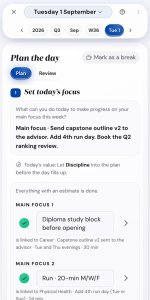
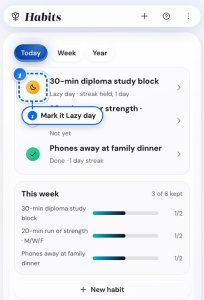
- The Life Goals App, which turns your board and first steps into a tracked Goal Cascade you can revisit each week.
Frequently asked questions
How do I make a vision board?
Is there a vision board template I can use?
Where can I find vision board examples?
Can I make a digital vision board with photos?
Can I make a 2026 vision board?
What is a vision board, and does it actually work?
Is my data private?
Your board is a beginning, not an end
You have pictured where you want to go and named a first step. The Life Goals App carries that forward, turning each Summit Goal into a Goal Cascade you check in on week by week. Try the demo first, no sign-up needed.
See the Life Goals App