The 90-minute first session
This page walks you through the first session in nine numbered steps, following the app's eight-step cascade from Values to your first daily reflection. Each step has a target time, what to do, an example input, what to expect next, and the one mistake beginners make most often. Total target time: about 80 minutes plus 10 minutes for thinking breaks.
Feeling overwhelmed before you start? You do not have to do all nine walkthrough steps in one sitting. The 20-minute minimum viable session is four steps. Most people who finish the whole walkthrough in one session were already half-decided about their year; if that is not you, the 20-minute version is honest and works.
The 20-minute path:
- Step 1 · Values (5 min)
- Step 3 · Life Areas (8 min)
- Step 5 · one Summit Goal (5 min, do just one focus area)
- Step 8 · one habit (2 min, do just one)
Skip Purpose, Vision, Habits-cascade, Execute setup, and the daily-reflection wrap-up for now. Come back to them next week. The cascade still works with just a value-anchored Summit and one daily input feeding it.
Contents
Before you start. Have the welcome email open in another tab so the password is one paste away. Have a glass of water. Turn off notifications. This is a thinking session, not a multitasking session.
The cascade you are about to walk
The app shows your position along a stepper bar at the top. The stepper is the spine of the cascade: each step inherits from the one before it. On day one it shows eight steps (Values, Purpose, Life Areas, Vision, Summit Goals, Execute, Habits, Insights); a ninth, the Wall of Wins, appears on its own once your first achievement lands. Here is how it looks at step one (Values active) versus step six (Execute active).


Step 1 · Values
Pick + rank your top five values
The app deals from a deck of 28 value cards (Growth, Adventure, Health, Connection, Creativity, and so on). You hold a hand of five: swap any card you do not love for the next one off the deck, and keep going until your final five feel right. Trust your first reaction. The cards you keep coming back to are the real ones.

The step has three tabs: Play your hand (the card game where the dealer offers cards one round at a time), Rank your five (where you drag the five you kept into order), and Where this leads (which shows how your ranked five feed the later steps).

Once you have a hand of five, switch to Rank your five. Drag the five cards into rank order. Number one is what you would not trade. Number five is on the edge of the list. When all five are ranked, tap Where this leads to see how they feed the rest of your plan, then Continue to Purpose.

Common pitfall. Aspirational values. The diagnostic question: which one of your top five did you violate this week, and did it feel like a betrayal? If nothing came up, the list is what you wish you were. The cascade collapses on that within four months; by then it is hard to tell why your Summit Goals stopped pulling.
Step 2 · Purpose
Write one sentence that explains why you exist this year
The Purpose step has two tabs: Craft your purpose and Where this leads. On Craft your purpose you have two ways to write your sentence. Option A: pick one of three starter sentences the app drafts from your Top 5 values. Option B: build your own from three pieces, To <verb> (the action), For <whom> (who it serves), So that <change> (the difference it makes), and the app stitches a clean sentence live below as you type. Use your top values, keep it honest, it does not have to be poetic.
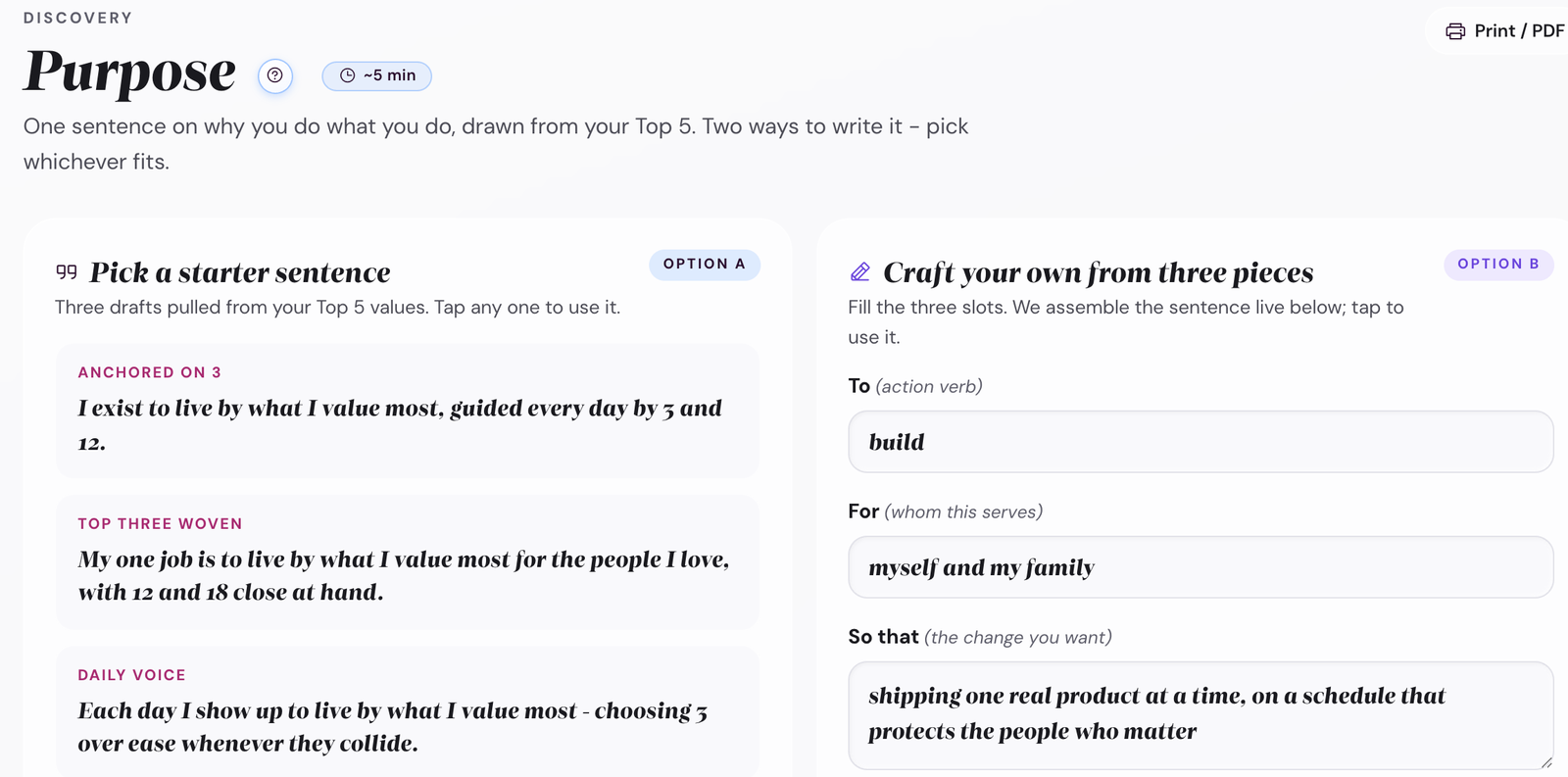
Tip. The purpose sentence becomes the framing for everything downstream. Summit Goals get tested against it. Each monthly check-in rereads it. Skip the urge to make it perfect now. You will refine it at the quarterly check-in.
Common pitfall. Writing the purpose for the wrong year. If you are in the middle of a sabbatical or a recovery, the purpose for this year may not look like the purpose for "your life." That is fine. Year-purpose is short-term; values are long-term.
Step 3 · Life Areas
Score each life area today and pick two or three to focus on
Life Areas has three tabs: Rate your areas, Choose your focus, and Where this leads. On Rate your areas, ten candidate areas each get two 0-10 sliders: satisfaction (how it is right now, shown in blue) and importance (how much it matters to you, shown in pink). The ten are Physical Health, Emotional Wellbeing, Relationships, Career, Financial, Growth & Learning, Fun & Recreation, Purpose & Meaning, Environment, and Contribution. Score where you actually are today, not where you wish you were. The satisfaction-by-importance map on the right highlights your two biggest gaps.
Don't see your category? The list is a starting point, not a fixed taxonomy. At the bottom of the area chips there is an Add area button (plus icon). Click it to add your own. Examples beta testers have added: Side project, Caregiving, Volunteering, Sobriety, Garden. Each custom area gets the same 0-10 sliders + focus toggle as the built-in ones. Custom areas you create stay with you across all cadence steps.
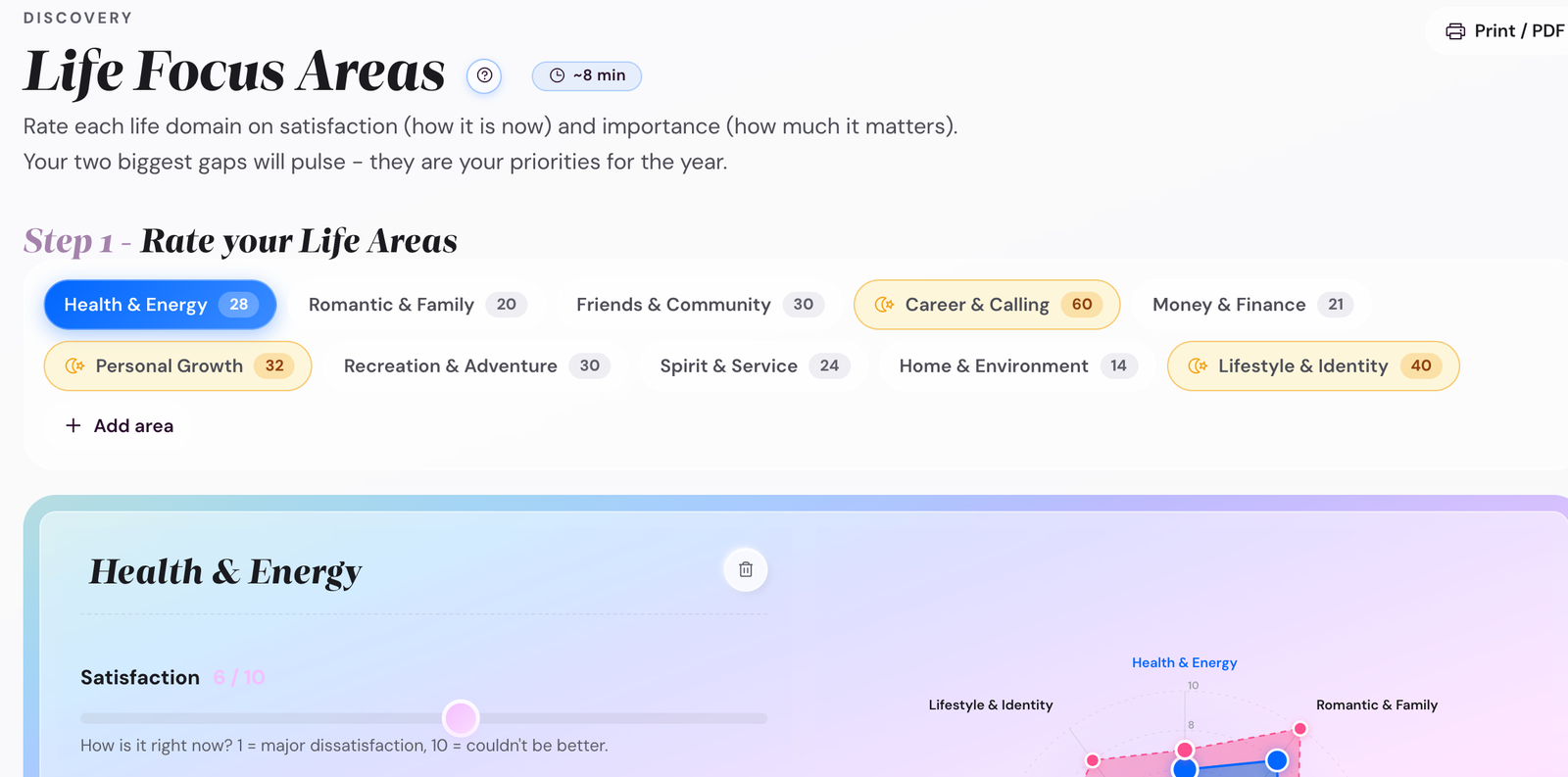
Then, on Choose your focus, mark two or three as focus this year. The Life Areas Map (and the Goal Cascade you build next) will treat the focus areas as load-bearing. Non-focus areas stay tracked but do not get Summit Goals.
Two or three, not five. The default human urge is to focus on everything. The app gently caps you at three because the planning math collapses past that. If you really feel pulled in five directions, pick three this year and add the others next year.
Common pitfall. Focusing on every low-scoring area at once. Picking Health (4), Finance (3), and Creative (2) sounds responsible, but you have just signed up to rebuild three weak areas simultaneously. Pick at least one focus area where you are already strong (preserve it through the focus year) so the plan is not a brutal climb on three fronts.
Step 4 · Vision
Sketch one to three alternate five-year futures, then pick the one you want to walk toward
The Vision step has three tabs: Three futures, Interview future you, and Where this leads. It opens on Three futures. Plan A (the best of your current path) is always there; tap Compare three futures to sketch Plan B and Plan C beside it. Each is a short paragraph describing a plausible 5-year version of your life; they share your values, purpose, and focus areas but differ in the path. Once you have picked your active path, Interview future you turns it into one unified present-tense picture of your life five years out.
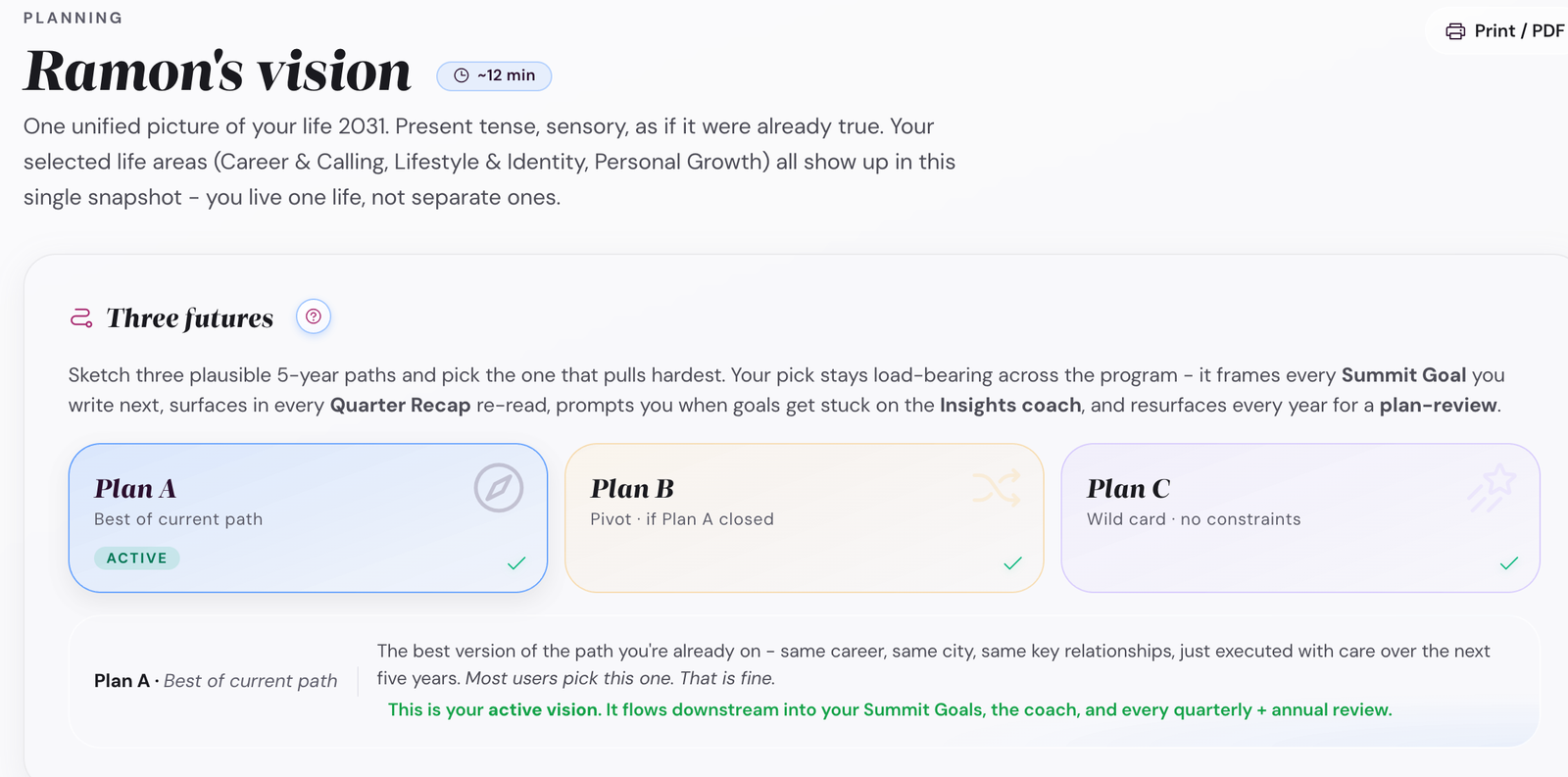
- Plan A usually compounds what is already working.
- Plan B builds a bridge. Different but reachable, uncomfortable one year out.
- Plan C is the deliberate stretch. The one your safest self would never choose.
Write each one in present tense, as if you are already there. Then tap Make Plan X my active vision on the one you want to walk toward. The active vision becomes load-bearing metadata everywhere downstream.
The other plans are not deleted. They sit in the background as a comparison whenever you do a quarterly check-in or an annual wrap-up.
Common pitfall. Plan A only. The pattern is predictable: Plan A always reads as "keep going, but better." Without B and C as contrast, you cannot distinguish "the right plan" from "the safe plan." Diagnostic: if you can draft a Plan C that genuinely scares your safe-self, you have a real choice on the table. If you cannot, you have one option dressed up as three.
Step 5 · Summit Goals
One big-enough goal per focus area, dated and measurable
For each focus area you picked in step 3, write one Summit Goal. It has to be:
- Outcome-shaped. "Run a sub-2:00 half marathon by Oct 2027." Not "run more."
- Dated. A target date 12-36 months out is normal.
- Defensible. If a friend asked "how will you know you got there?" you should have an answer.
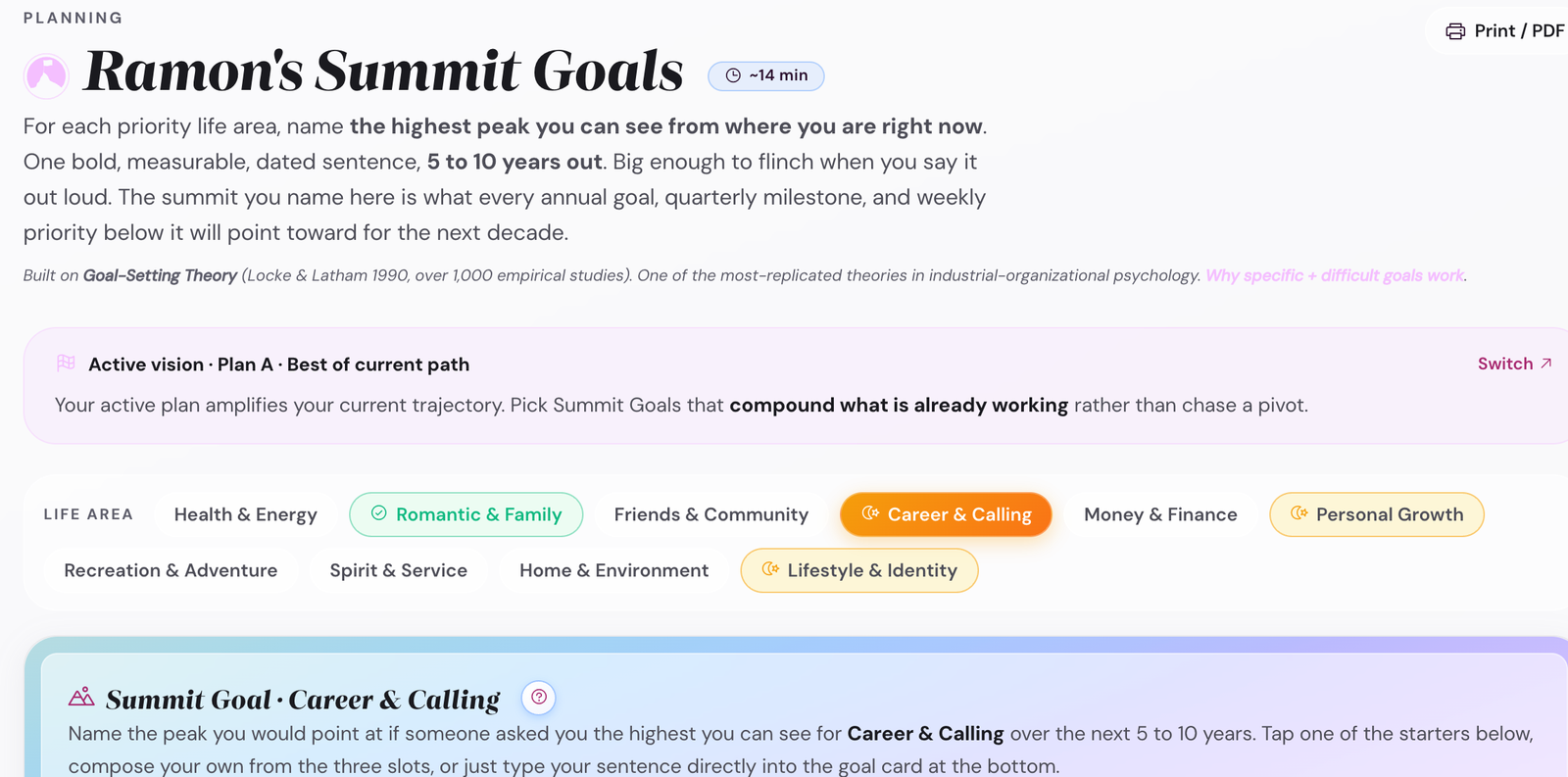
If your Summit pulls in the opposite direction of the vision, one of the two is wrong.
· Creative. Publish 12 long-form essays in 2026 and grow the newsletter list past 1,000 subscribers by December.
· Family. Hit 50 weekly family dinners in 2026 (4-week rolling average measured each Sunday).
Common pitfall. Summits that are actually habits. The one-question test: can you do your Summit today, and again tomorrow, and again the next day? If yes, it is a habit. A Summit can only be done on a specific date, with specific evidence on the table. "Meditate daily" fails. "Complete a 10-day silent retreat by June 2027" passes. The habit feeds the Summit; they are not the same thing.
Step 6 · Habits cascade
The supporting habits that make each Summit Goal cheap
For each Summit Goal, name one or two habits that, if done consistently, would make hitting the goal almost inevitable. A habit is not the goal. The Summit is the outcome; the habit is the daily input.
Each habit gets a Trigger / Action / Reward. Trigger is when. Action is the smallest version of the thing. Reward is what you give yourself when it is done.
Trigger: Right after my morning coffee, shoes already by the door the night before.
Reward: Mark the habit done in the Habit Garden + black coffee at the cafe on Saturday long-run days.
One or two habits per Summit, not six. The compounding effect of even one consistent habit beats the chaos of five inconsistent ones. The two-day rule in the app catches drift: miss one day and the system shrugs, miss two and it flags you.
Common pitfall. The trigger field stays empty. The research finding is striking enough to repeat: people who write "I will X when Y happens" follow through 2-3x more often than people who just intend to X (Gollwitzer's implementation-intention studies, replicated in dozens of domains since 1999). The trigger field is not decoration. It is the field that decides whether the habit survives March.
Step 7 · Execute setup
Cascade your year down to a first-quarter plan, then a first-week plan
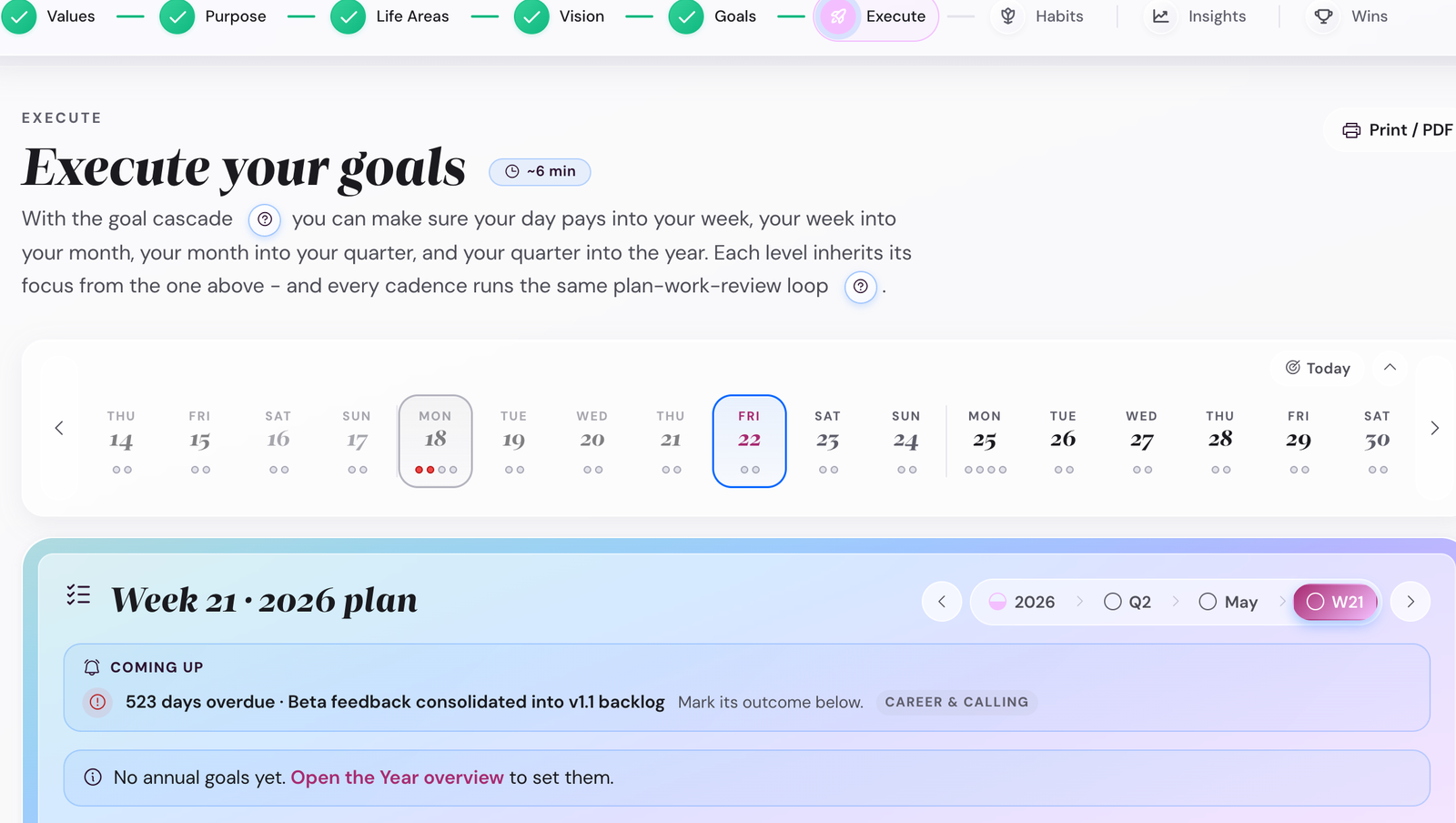
The Execute step has five tabs along the top: Year, Quarter, Month, Week, Day. Start at Year and work down.


The five cadence chips at the top of the Execute step (Year, Quarter, Month, Week, Day) switch the panel view in place. Each one shows the cascade level for that horizon. Swipe through the views below to compare.
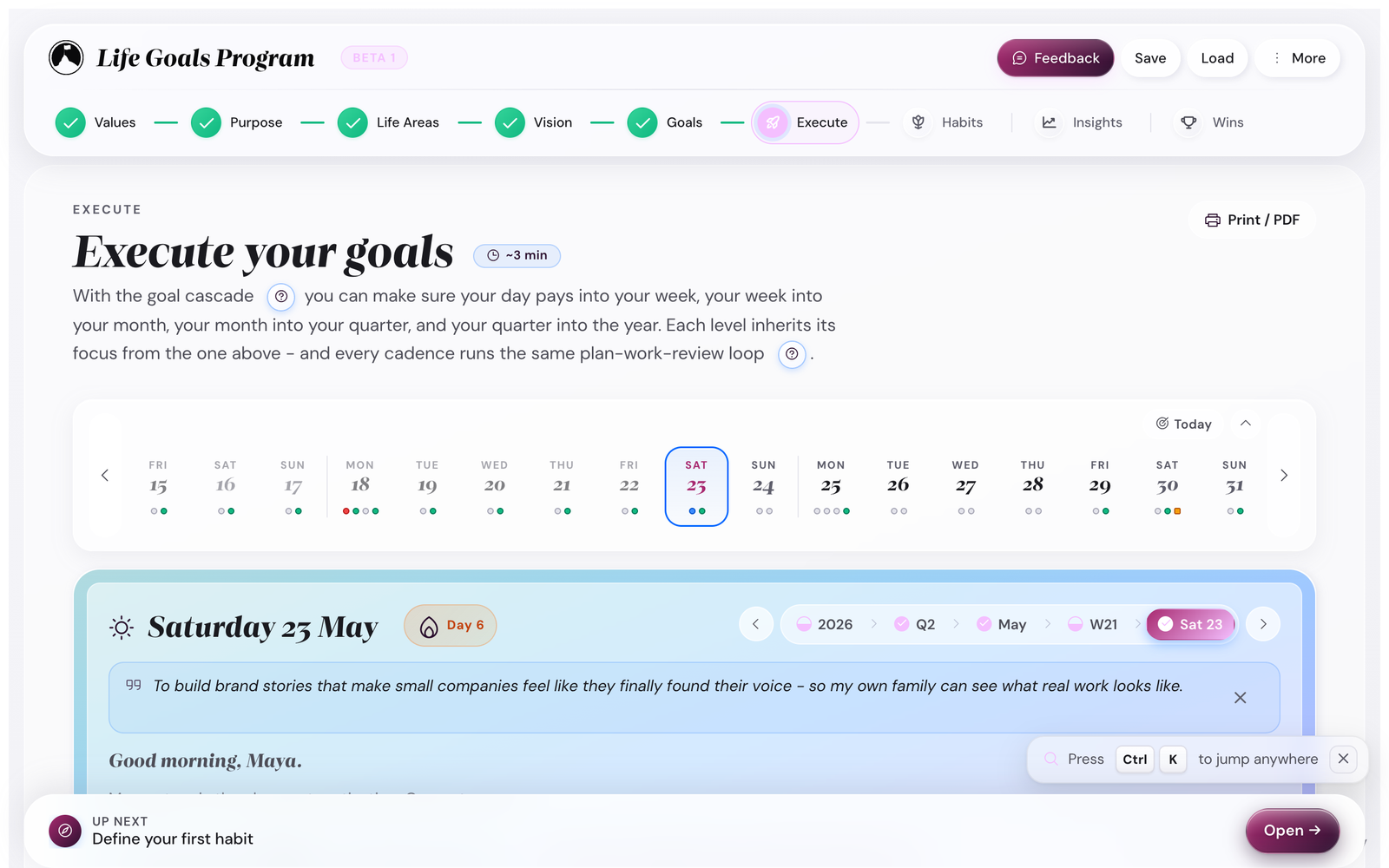
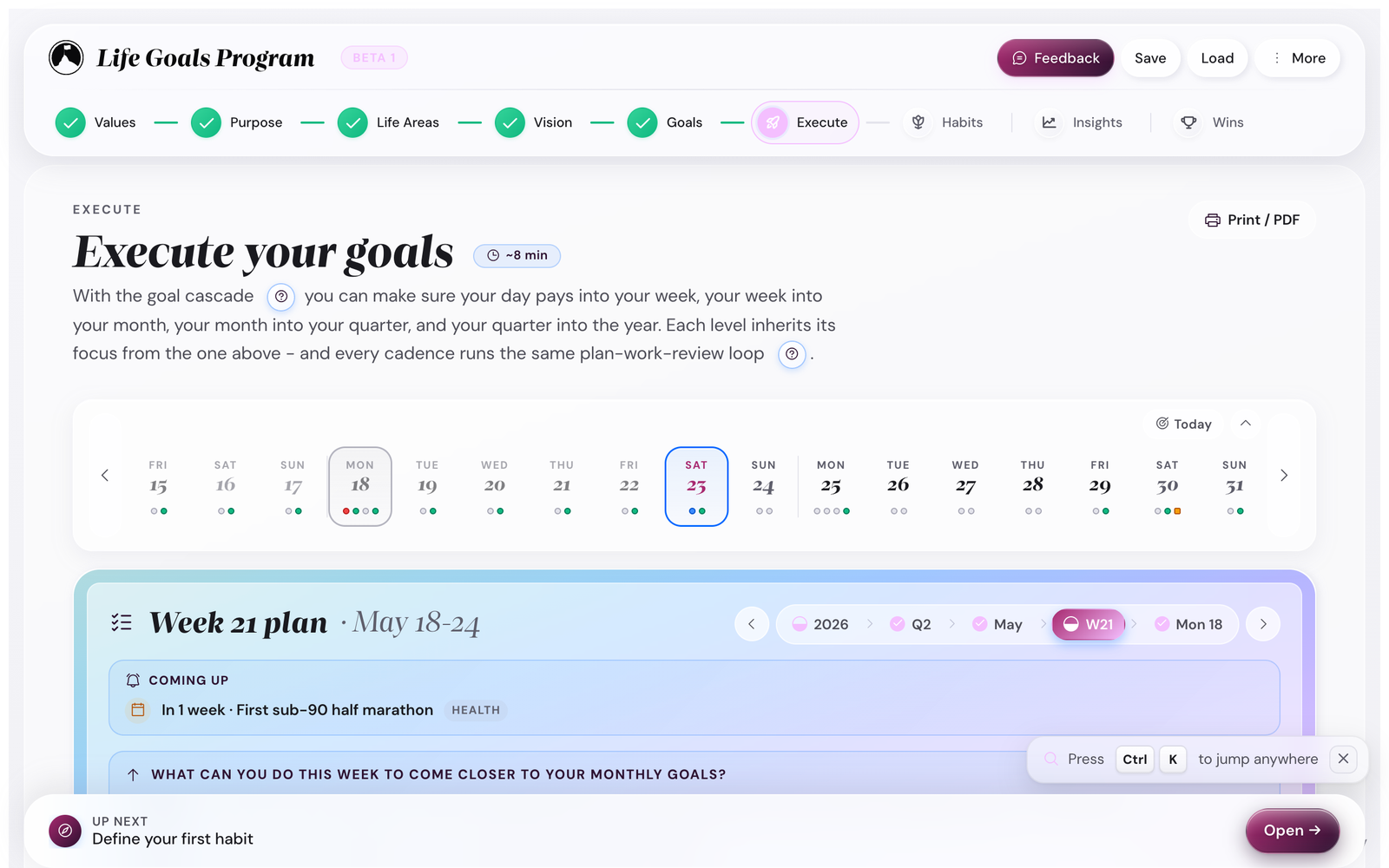
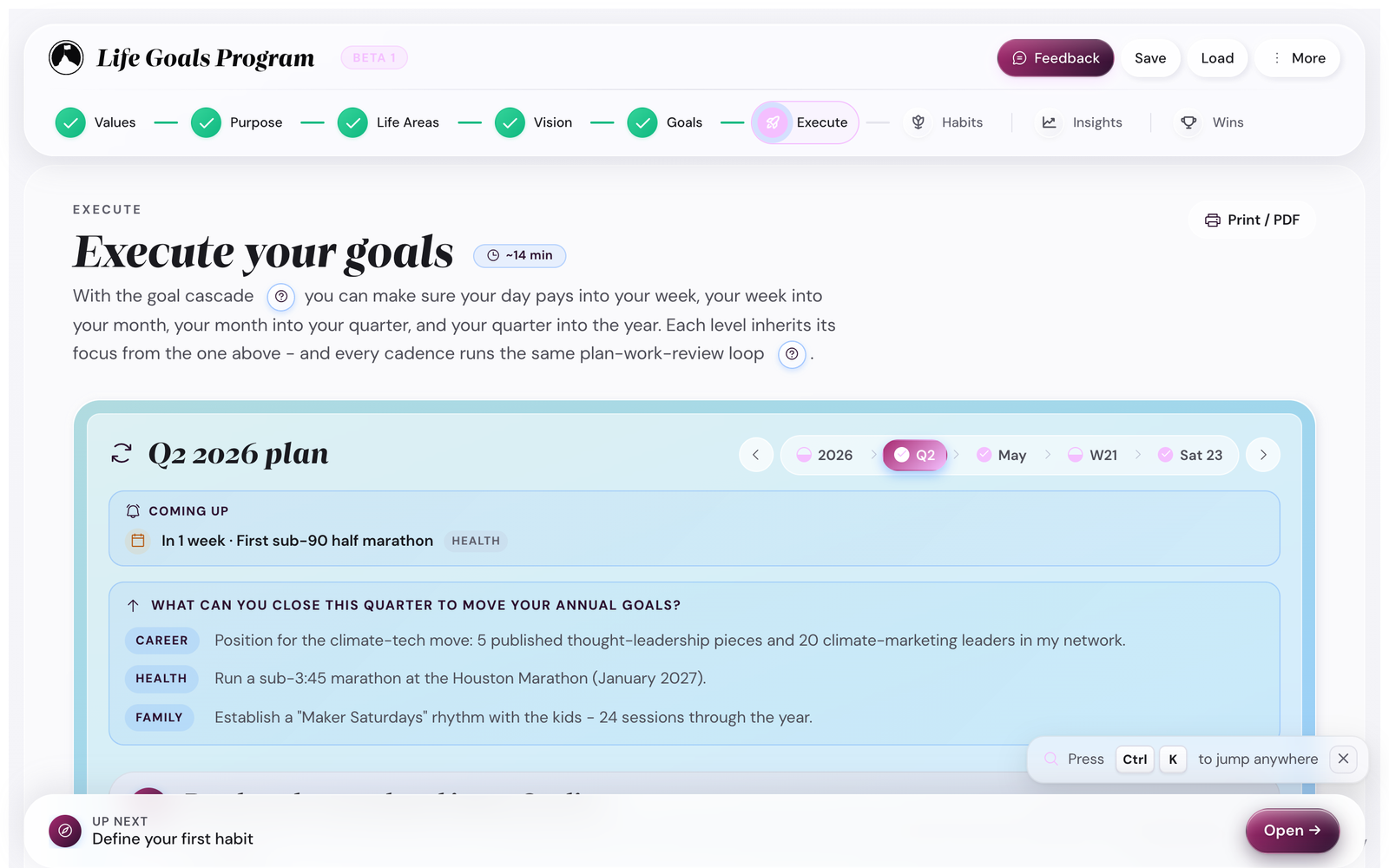
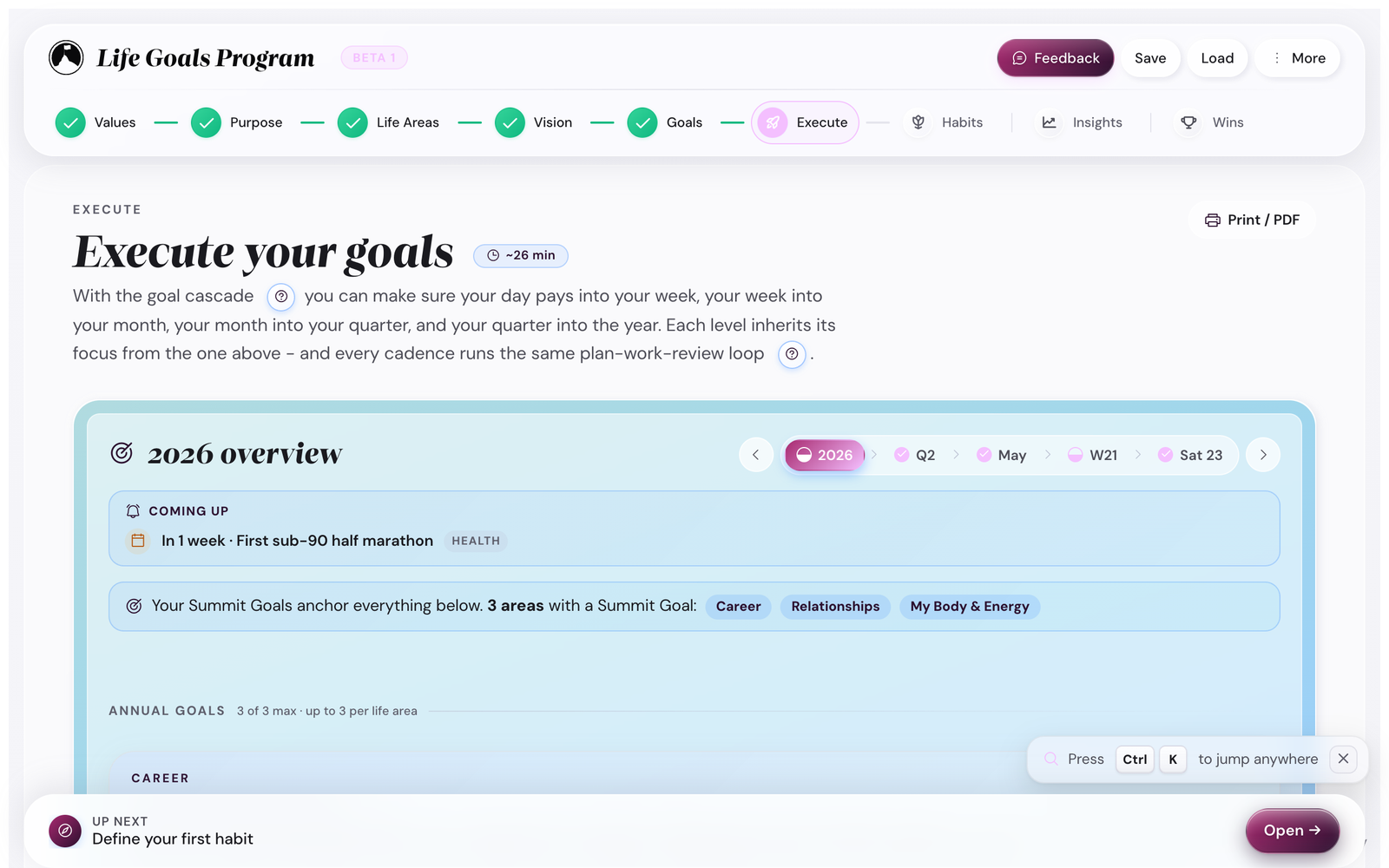
- Year opens on the Annual goals tab. Break each Summit into up to three annual goals per focus area. Each annual goal sits on its own card with three tabs: The goal, Friction Map, and Milestones, where you name the milestones and their dates. (The second year tab, Annual wrap-up, stays locked until you lock the year's plan.)
- Quarter has three tabs: Slice the year, Monthly priorities, and Check-in. On Slice the year, name a theme for the quarter, then tick the milestones you commit to (a goal you count, like three runs, gets a three-cell split across the months). On Monthly priorities, everything you committed waits in an Unplaced tray you place into each month.
- Month carries in three lanes from the quarter: Main focus (up to two, plus a lighter stretch slot, or a third when a third genuinely is the point), Milestones this month, and Small goals you keep ticking.
- Week turns the month's focus into a week's set of 3-5 priority tasks.
- Day is the smallest unit: pick today's three priority tasks from the week list.
You only need to fill out Year, Quarter, and Week for this first session. Month and Day will populate automatically as the cadence starts running.
Three special cards on the Year level
As your year fills in, the Execute → Year tab and its Annual wrap-up surface three extra cards:
- Summit Anchor caps the Annual wrap-up. Reminds you of the long-horizon vision the year-Summits cascade from. Click to re-read.
- Plan-Review panel appears on the Year overview once the active vision has been in place ~9 months. Asks "is this still pulling hardest, or has gravity shifted?" with three responses: still pulling, slightly shifted, refine at the quarter check-in, switch active plan. Critical for catching vision-drift early.
- Loose Ends surfaces milestones that have been Amber or Red for 30+ days without action, with an amber wash that reads as "needs attention." Three buttons per loose end: rescue, reschedule, retire.
None of these appear in the first session; they show up as your year accumulates data.
The cascade is the Goal Cascade in action. Each level inherits from the one above. If you change a milestone in Year, the app flags the Quarter view that depends on it ("you changed your Year plan, review Quarter when ready"). That visual breadcrumb is called the upstream-change ripple.
Common pitfall. Overpopulating the Week tab on day one. You will be tempted to fill in 15 priority tasks for next week. Stop at 5. The week's priorities are the ones you would do if everything else went wrong, not the things you wish you would do.
Step 8 · Habit Garden
Set the daily inputs that feed your Summits
The Habit Garden takes the one-or-two-habit-per-Summit list from step 6 and turns each into a daily tracker.
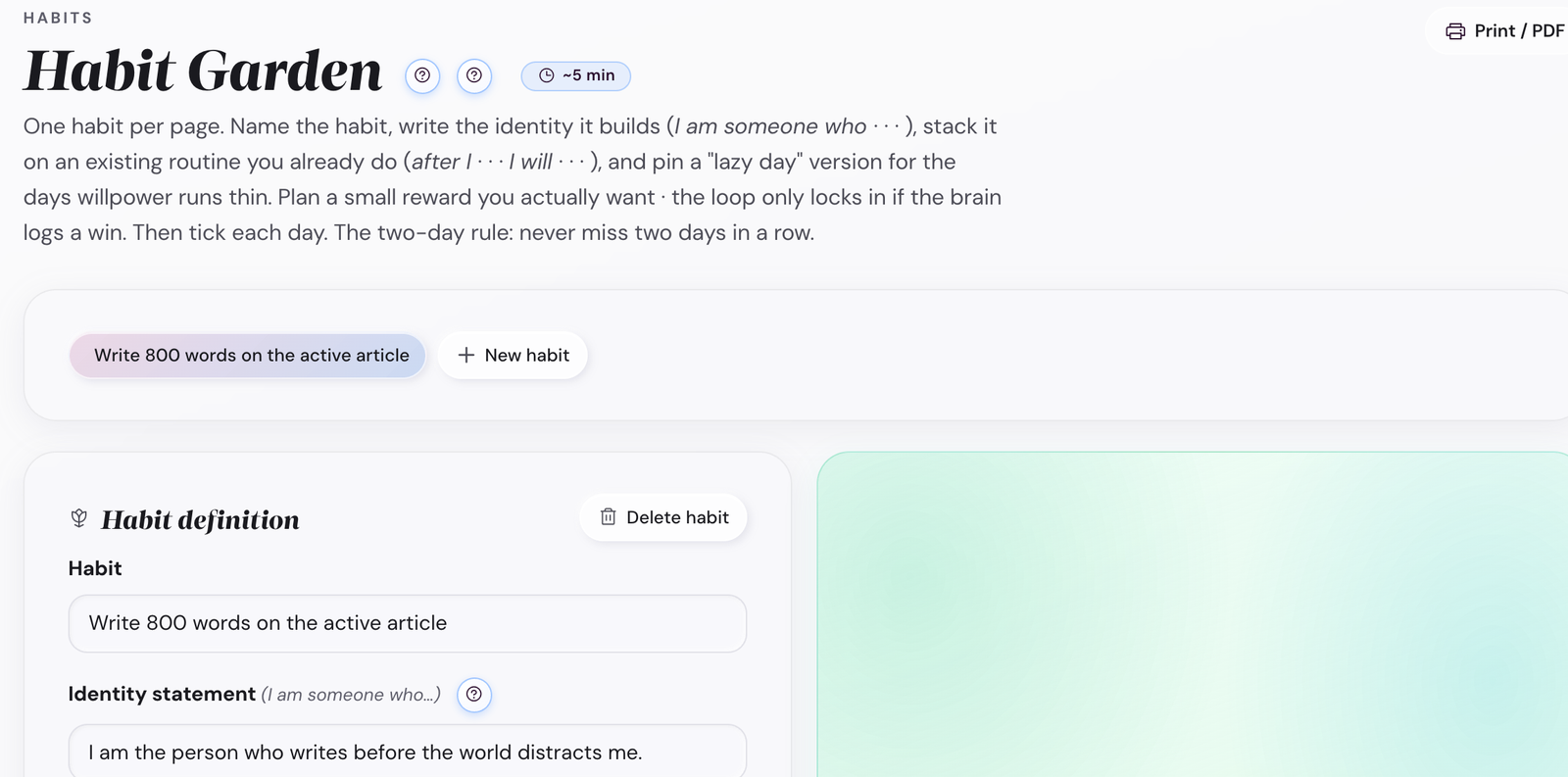
For each habit you set:
- The action (already drafted in step 6).
- The cadence (daily / weekdays / weekends / Mon-Wed-Fri / etc.).
- The lazy-day version (the smallest acceptable action when you cannot do the full thing).
The Lazy Day version is critical. It is the difference between "I missed today" and "I shrunk today." For a 30-minute run habit, the lazy day might be "10-minute walk + 5 push-ups." That keeps the streak honest without forcing perfection.
Calling it a Garden is also not decoration. Habits need soil (the trigger context that already exists in your day, like the morning coffee), sun (the cadence you can keep without flinching), water (the lazy-day version that carries you through a bad week), and weeding (the willingness to archive a habit that is not working without calling it failure). A Garden in February is not a failed Garden. It is February.
Common pitfall. No lazy-day version, or a lazy version that is still too ambitious. If your lazy day for a 1,000-word writing habit is "300 words," that is still hard on a sick day. Better: "voice memo, one minute." The lazy day exists to keep the streak from ever truly dying.
Step 9 · First daily reflection
End the session with the daily rhythm you will run from tomorrow
Jump to Execute → Day. The Day view has two tabs: Plan and Reflection. On Plan you set three priority tasks and see your habits row (the ones you just set up); lock the plan and the Reflection tab opens for the end-of-day note.
On Plan, fill in three priorities for tomorrow (not today, since today is mostly done) and check off any habits you already did today. Then open Reflection and leave it blank or write one line about how this session felt.
You are done with the first session. Tap topbar Save to download a backup, then close the tab. Beta testers consistently report a specific pattern from here: day 4 is when the first reflection feels worth doing, day 14 is when it stops feeling like a chore, day 30 is when checking the Insights chart becomes the part you look forward to. You are about to find out which day yours is.
What happens tomorrow
Open the app. The password gate is gone (it remembered you). The app lands you on the Day view because that is where the cadence starts.
Five minutes:
- Check off the habits you did.
- Write one line about yesterday in the reflection box.
- Pick today's three priority tasks (or accept the three you set yesterday).
That is it. Close the tab. The next bigger session is Sunday's weekly reflection (10 minutes).
And at the end of each quarter
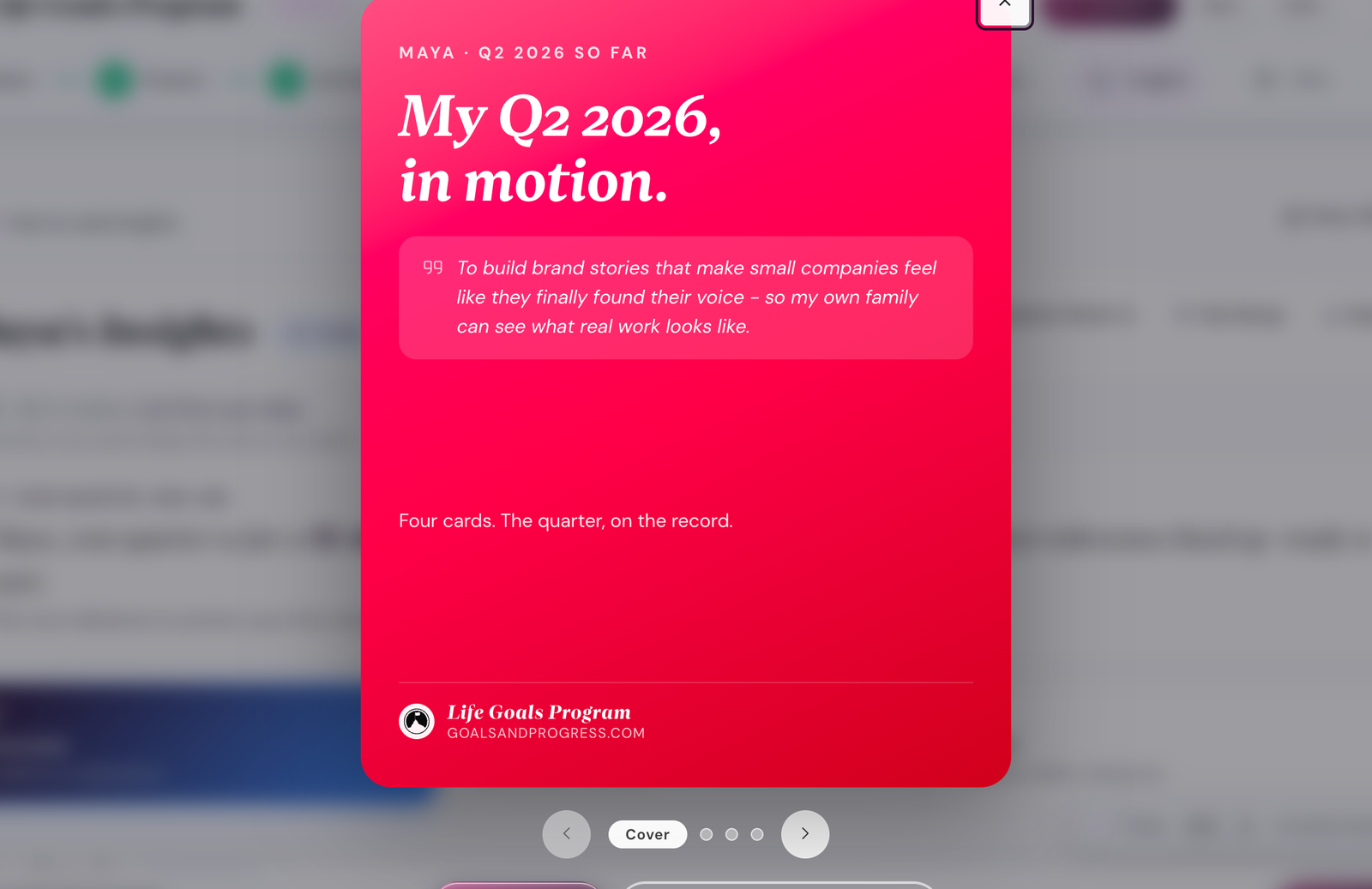
At the end of each quarter, open Execute → Quarter → Check-in. The Check-in tab unlocks once you have locked the quarter's plan. Re-read the active vision banner, rate the quarter, review your measures and milestones, and set the next quarter's focus. About 60 minutes. For a shareable recap, the Insights step's Quarter Check-in button builds a poster-grade card from the same data.
If you got stuck
- Can't think of a Summit Goal. Open Scenarios and look at a similar persona's example. Borrow the shape, not the content.
- Vision feels fake. Try writing all three plans (A, B, C) instead of stopping at one. The contrast helps.
- Habits feel like too many. Cut every Summit to one habit. You can add the second next month.
- App won't save. Manually tap the topbar Save button to download a backup.
The five most common first-session mistakes
- Picking five focus areas. Cap is three. The math breaks past that.
- Writing Summits that are really habits. Outcome vs input. Re-read step 5.
- Skipping Vision because it feels woo. The Vision is what gives Summits their pull. Without it the cascade goes flat by month three.
- No lazy-day version for any habit. One bad week kills the streak. The lazy version is the safety net.
- Trying to fill in Year + Quarter + Month + Week + Day all on day one. You only need Year + Quarter + Week. Month and Day fill in as the cadence runs.