The five cadence cycles
Five rhythms nest inside each other. A 5-minute daily reflection sits inside a 10-minute weekly reflection sits inside a 30-minute monthly check-in sits inside a 60-minute quarterly check-in sits inside a 2-hour annual wrap-up. That is the whole architecture. Each one has a target duration, a trigger that fires it, a surface in the app where it lives, and its own kind of look-back. The smaller ones are habit-protecting. The bigger ones catch drift. None is optional. This page walks all five and shows how each of the six personas in Scenarios actually runs them.
Contents
One rule. Each cadence look-back has a specific noun. Day and week are reflections (short, personal, low-friction). Month and quarter are check-ins (bigger status pulse). The year is a wrap-up (chapter-closing). The app uses the right noun every time so you know what kind of session you are about to do.
About the persona names below. Only Maya is loadable as a demo inside the app (More menu → Load demo data). David, Sara, Alex, Priya, and Tom are illustrative scenarios from the Scenarios page: they show how the same cadence machinery flexes for different lives. None of them is a loadable demo persona.
1. Daily · the 5-minute reflection
What fires it
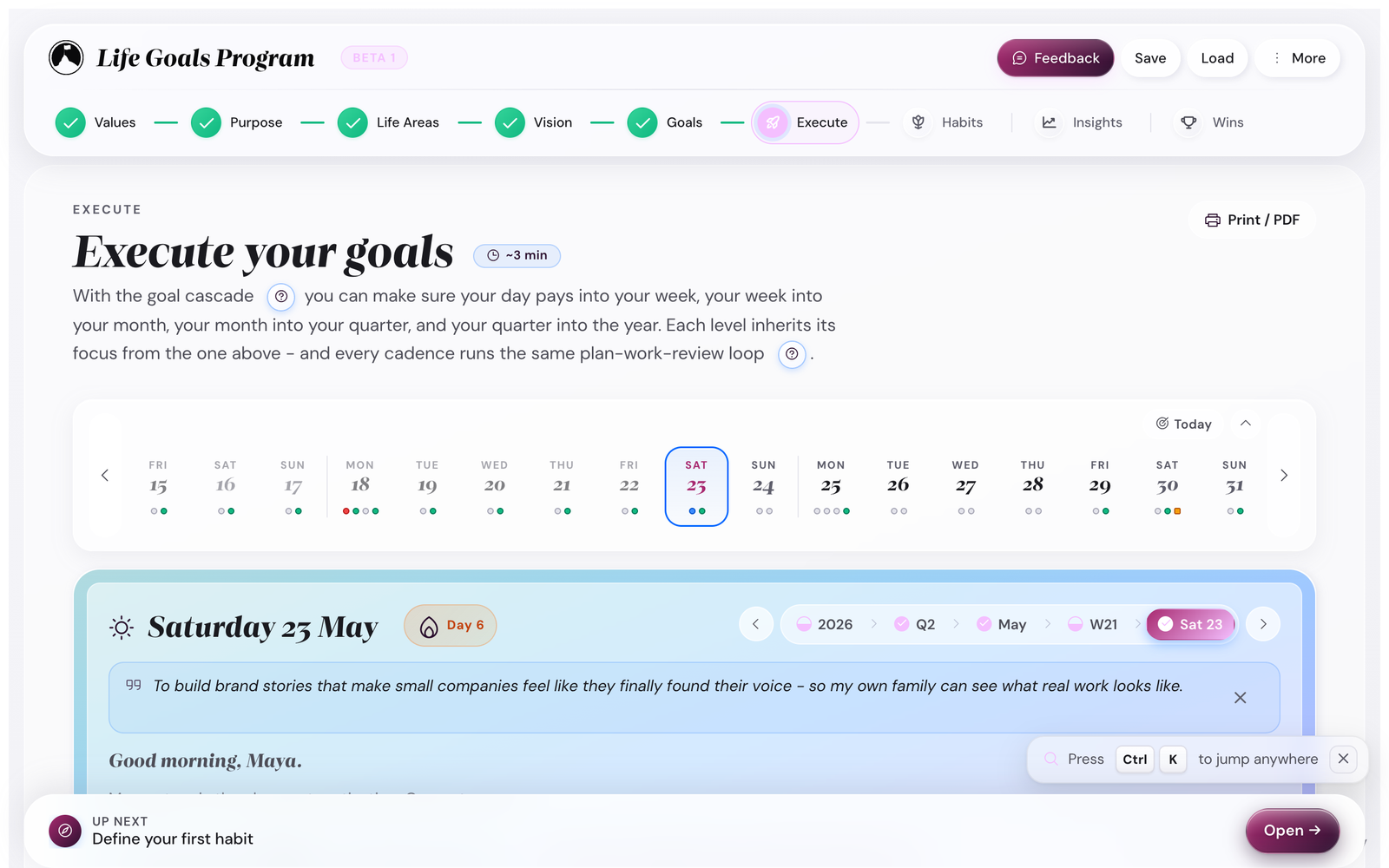
~5 min · dailyThe app lands you on the Day card whenever you open it. There is no scheduled fire; the app trusts you to open it (the calendar export adds a calendar event if you want a notification).
Where it lives

What you do
- Check off any habits you completed today (or yesterday, if it is morning).
- Write one line in the reflection field. Anything: a win, a worry, a noticing.
- If the day taught you something, drop it in the "One thing I learned today" line underneath. It is always there and always optional; skipping it costs nothing.
- Pick or confirm tomorrow's three priority tasks.
Two early badges live here. The first time any habit's streak reaches 3 days you earn First 3-day streak; marking a habit done the day right after a lazy-day tick earns The comeback (the Two-day rule recovery, made visible). Each lands once, with confetti and a poster card on your Wall of Wins, and the Wall itself joins the stepper the moment your first achievement arrives.
How each persona uses it
The reflection mode setting. If you want fuller prompts (wins / challenges / next focus), switch Settings → Cadence → Reflection mode to Full. The learning line stays visible in both modes. Most people leave it on Light for the first 30 days and switch to Full once the rhythm is locked.
2. Weekly · the 10-minute reflection
What fires it
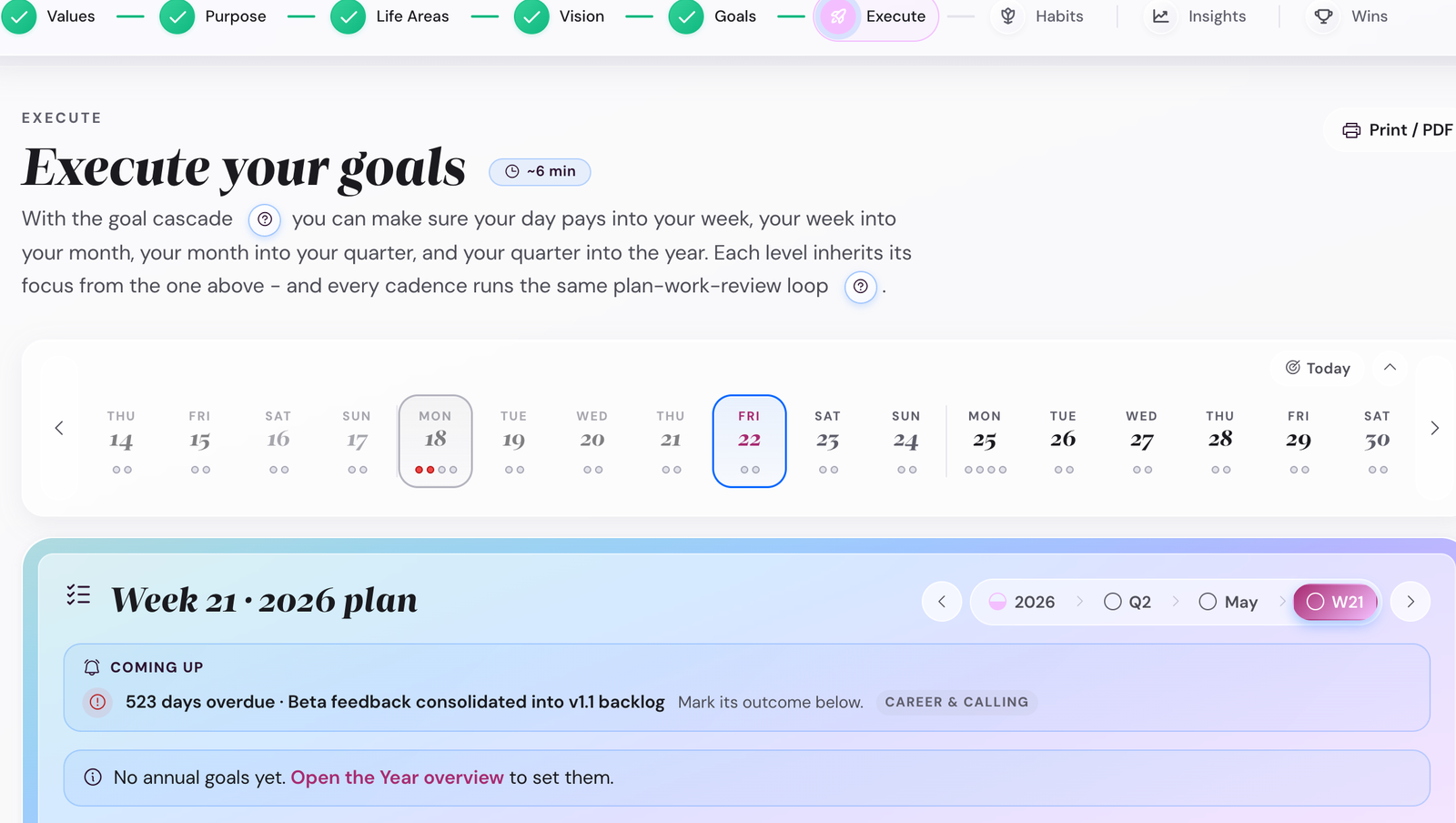
~10 min · once a weekOn Sunday (or whichever day you picked in Settings → Reminders), the weekly reflection lives on the Week cadence: open Execute → Week and switch to the Reflection tab (it opens once the week's plan is locked). If you turn on calendar export, an ICS event lands at the same time. If you turn on browser notifications, a soft nudge appears.
Where it lives
What you do
- Name one win (what worked).
- Name one challenge (what slipped).
- Draft three to five priority tasks for the coming week. The app pre-fills suggestions from your current month focus.
- Capture any key learnings from the week. The learnings card shows in both Light and Full reflection modes; Insights picks these up under "Recent learnings."
- Optional: traffic-light any milestones with new status.
How each persona uses it
3. Monthly · the 30-minute check-in
What fires it
~30 min · once a monthLast day of the month (or first day of the next, your choice). The Insights view starts hinting at it about 5 days before, with a small "month check-in due" indicator on the Insights tile.
What you do
- Open Execute → Month and switch to the Check-in tab (it opens once the month's plan is locked). The Insights step's chart shows the month's execution score.
- Traffic-light every milestone whose status changed (Green / Amber / Red).
- Read the Goal Plan obstacles for each Summit. Anything that became real this month? Add it to the list.
- Pick the focus for next month: which 3-5 milestones get the priority slots.
- Re-read your purpose sentence. If it has gone stale, edit it.
How each persona uses it
What this catches. Monthly is the cadence that catches Amber milestones before they go Red. If you skip it, you find out at quarter-end that something has been off-track for 10 weeks.
4. Quarterly · the 60-minute check-in
What fires it
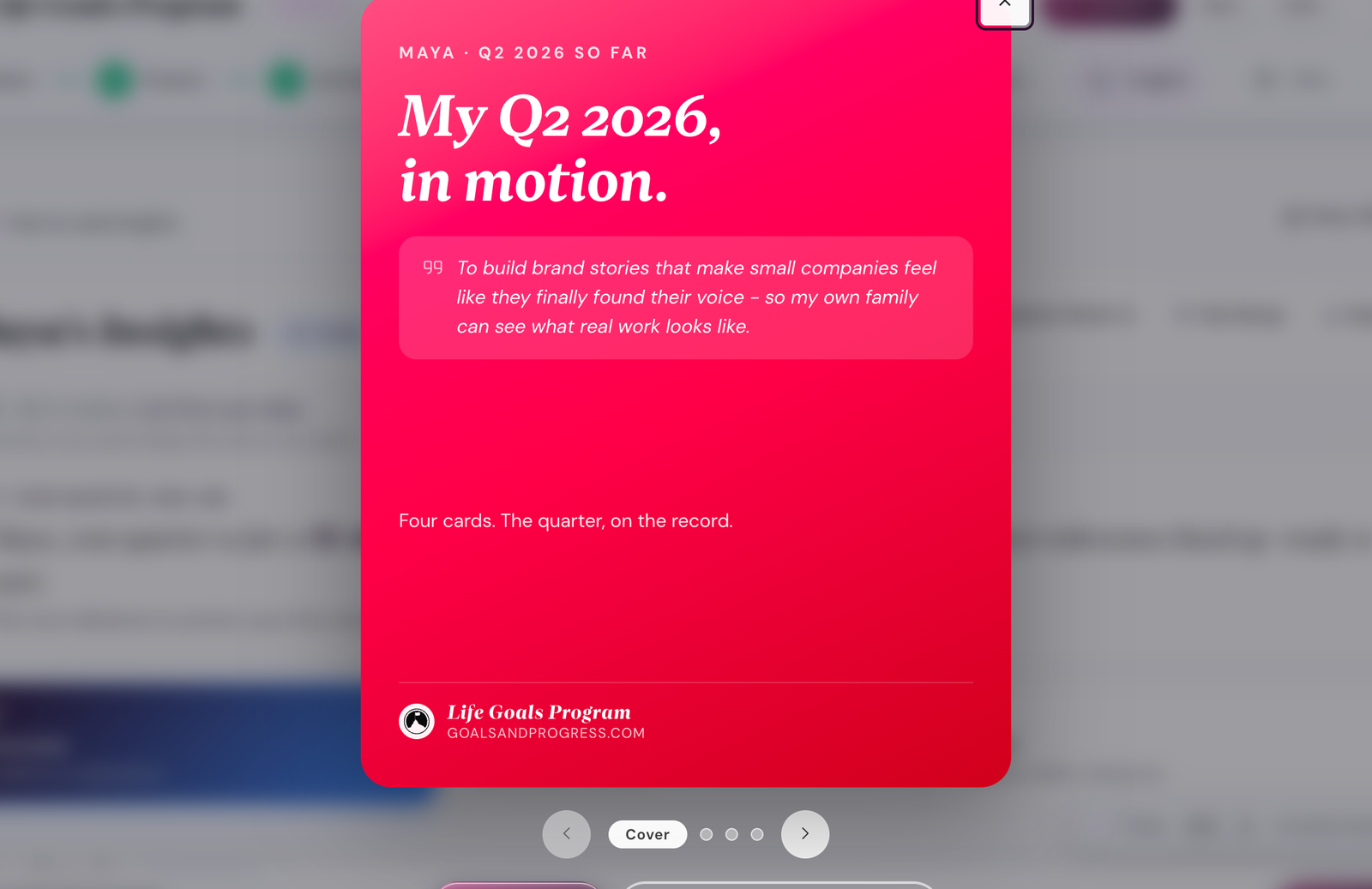
~60 min · once a quarter (12 weeks)The Quarter Check-in is the third tab of the Quarter step. Open Execute → Quarter → Check-in (it opens once you have locked the quarter's plan). For a shareable summary, the Insights step's Quarter Check-in button builds a poster-grade 4-card recap: traffic-light scoreboard, active-vision banner, milestone wins, next-quarter focus.
Where it lives
What you do
- Re-read the active-vision banner. Does the vision still pull?
- Score every Summit milestone Green / Amber / Red, honest.
- Decide for each Amber/Red: rescue, reschedule, or retire.
- Pick the next quarter's 3-5 focus milestones (not too many, not too few).
- If a focus area has fallen completely off, decide if it stays a focus area or gets demoted.
- Optional: from the Insights step, save the Quarter Check-in as a poster image (the recap has a "save as image" button) and share with a friend or accountability partner.
How each persona uses it
5. Annual · the 2-3 hour wrap-up
What fires it
~2-3 hr · once a yearEnd of December (or whenever your "year" ends). The app shows a year-overview surface that totals every milestone, every habit streak, every wrap recap, and prompts you to write a year wrap-up reflection.
What you do
- Read the year overview. Numbers tell most of the story.
- Write a short year wrap-up reflection: what worked, what to retire, what to add.
- Reconfirm or rewrite your active vision. Five-year visions usually shift 10-20% each year.
- Decide focus areas for next year. They can change. Often do.
- Draft Summit Goals for next year. They cascade from the (possibly revised) vision.
- The first three quarterly check-ins of next year refine these. Annual is the draft; quarters are the iterations.
How each persona will use it (year-end 2026 preview)
The Wall of Wins. By year-end your Wall of Wins (the Wins step, which joined the stepper with your first achievement) will have accumulated dozens of poster cards: every milestone you hit, every Summit you closed, every badge you earned, every quarterly poster you saved. Browse it before you start the annual wrap-up. The visible evidence of a year is the best framing for the next one.
How the five stack
None of these cadences is optional, but the shape of how rigorous they are can flex by year. The most common patterns:
- Daily + Weekly only. Year-1 minimum viable. Skip month/quarter/year for the first 90 days while the rhythm locks. This is what Tom does for his comeback year.
- Daily + Weekly + Quarterly. Skip the monthly. Works if your Summit Goals are slow-moving and the 12-week zoom is enough. Sara uses this shape for her novel year.
- All five. Standard. Maya, David, Alex, and Priya all run all five. The monthly check-in catches drift at 4-week resolution.
- Daily + Weekly + Monthly + Quarterly + Annual + extras. Add a weekly reflection with a coach or accountability partner. Add quarterly with a peer group. Power-user pattern; not for year 1.
The app's calendar export (Settings → Reminders) lets you wire up all five as recurring calendar events in one go. That is what most people do at the start of week 1.
Common cadence pitfalls
Daily becomes the only one you do. The daily reflection is so cheap (5 min) that it crowds out the bigger cadences. Block the Sunday weekly slot on your calendar first; it does the most work.
Monthly gets skipped because "I just did a weekly." Different jobs. Weekly is "what worked this week"; monthly is "is the milestone still Green or am I being polite to myself?" The monthly catches the Amber-to-Red drift that the weekly can miss.
Annual is treated like a New Year's Eve ritual. Better: do it in early January when the holiday noise is gone. The annual wrap-up needs a clear head, not a champagne head.
Where to next
- Ready to wire your calendar? Settings → Reminders adds all 5 cadences as recurring events. See Calendar export.
- Want to see a persona run all 5? Maya runs the standard pattern; Tom shows the comeback-year shape.
- Specific question about a cadence? The daily and weekly rhythm + catching up after a gap recipes cover the common ones.