 Goals & Progress


Plan at your desk. Tick off on the go.
Connect your own Dropbox, then plan the week on your computer on Sunday and tick off today on your phone on Monday.
Your plan is where you are, not where your laptop is.


From your values to today's plan.
You break each goal into milestones, a focus for the month, a focus for the week and tasks for today. The Plan status light turns yellow when a goal gets no work for 2 weeks. It names the goal.
It feels incredibly well researched and thoughtfully built, but it has never once made me feel like I'm failing at it.
I've started a morning walk that has really affected many parts of my life, downstream throughout the day but also in the evening when thinking about my next day.
The lazy day feature of the habit tracker actually made me more consistent than I realized.
You pick one big goal for the years ahead. The app walks it down with you: this year, this quarter, this week. On a busy Tuesday, you still see the three things that move it.
No more busy days that lead nowhere. You know what counts, and you can drop what does not.
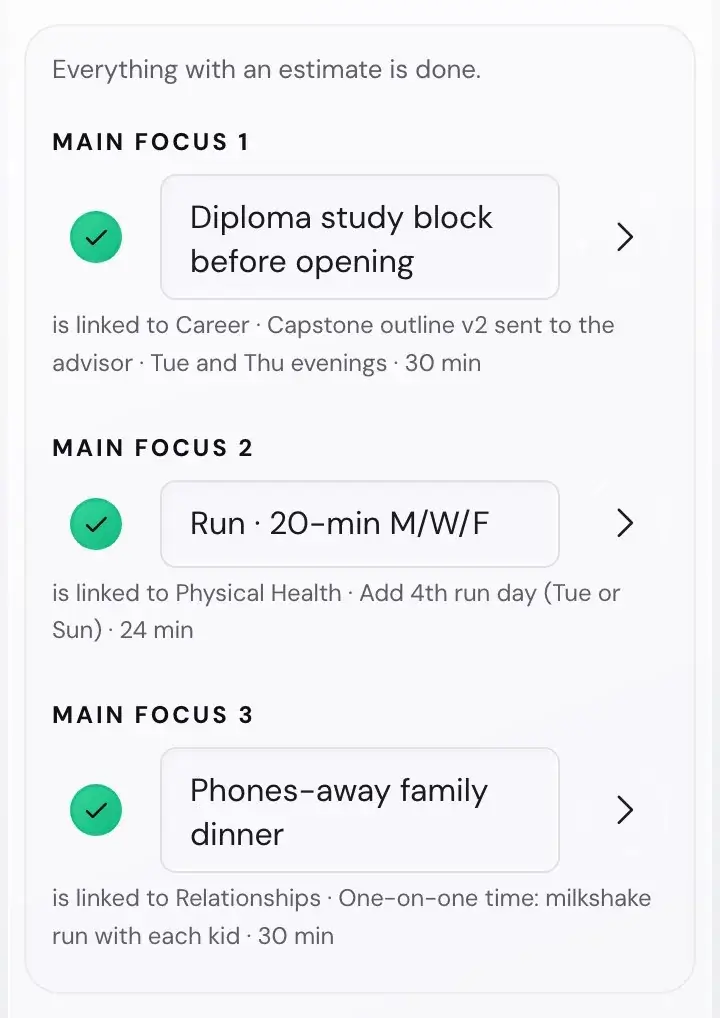

Type one big goal. Then answer one short question per level, from next year down to today.
Take a suggestion or type your own words. In the app, every task you add shows the goal it serves.
Run a marathon
Your Summit GoalRun a 10k without stopping.
Build up to 5k, three runs a week.
Three runs a week, 20 minutes each.
Tuesday, Thursday and Sunday: 20 minutes.
Put my running shoes by the door tonight.
Serves: Run a marathon
Every January I set goals I believed in. By March I could not have told you what they were. The intention was real. The connection between it and my actual week was not.
So I started asking a simpler question: what would it take for the values I care about to reach the thing I do today? This app is the answer I wish I had. It is one person's work, made for people who want their goals connected to their weeks.
Ramon LandesSolo founder, Goals & Progress
You play a hand of value cards, keep five and rank them. Five minutes later you know what you would never trade away, and every goal gets checked against it.
Goals people choose for their own reasons get more lasting effort and bring more well-being when they are reached.
The app uses this idea. The studies tested something close to it, not the app. Sources: Sheldon and Elliot 1999, Koestner and colleagues 2008


The Friction Map asks what could stop each goal and whether it is in your control. You turn each obstacle into an if-then plan, then check it every month.
A plan that expects the hard week survives it.


Every habit has a lazy day version: the smallest form of it, set in advance. On a hard day you do that, and your streak stays alive.
"The lazy day feature of the habit tracker actually made me more consistent than I realized."
Sunday, after a long week. What do you do today?
Missed days and reviews fade instead of piling up. A Welcome back card shows one next step.


Two minutes at night. Ten minutes on Sunday. A short check-in each month and quarter. Each review starts from what you planned, so you see what changed.
The week reflection shows a line for each goal that got no work for 2 weeks in a row.
Structured reviews after a task improved later performance across dozens of studies. The app uses this idea. The studies tested something close to it, not the app.
Sources: Tannenbaum and Cerasoli 2013, Keiser and Arthur 2021


Connect your own Dropbox, then plan the week on your computer on Sunday and tick off today on your phone on Monday.
Your plan is where you are, not where your laptop is.
Insights turns your entries into your own numbers: habit consistency, week score, days closed in a row.
Studies show that tracking progress helps people reach their goals: 138 experiments with 19,951 people.
The studies tested the method, not this app.


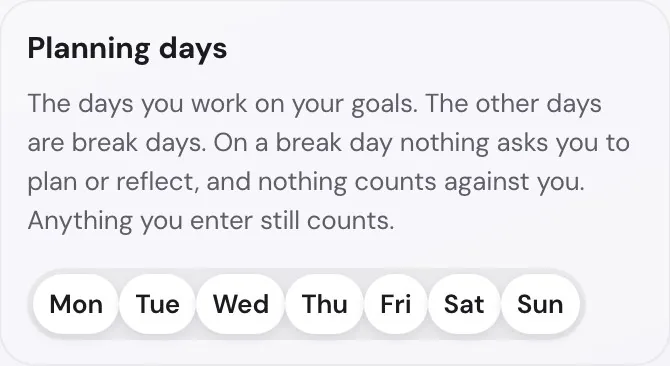
Pick the weekdays you work on your goals and the days for each habit.
Days you do not plan never count against you.
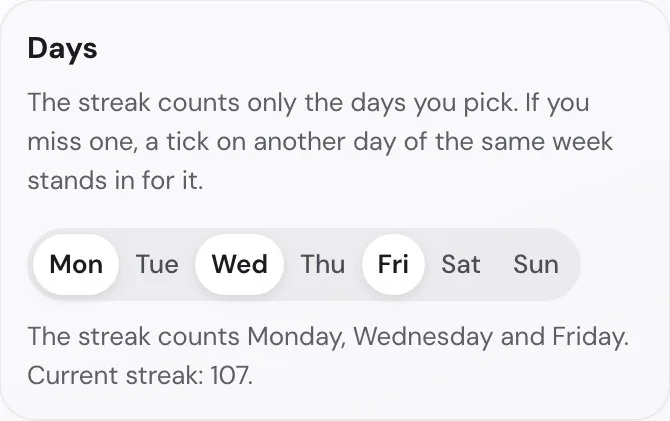
Pick a ready-made example for your life area and choose how big to start, or write your own.
Start today instead of designing a habit from nothing.


Give each milestone a prep time. A reminder card in the app shows when to start, not only when it is due.
Deadlines stop sneaking up on you.


Closed milestones, finished months and habit streaks of 7, 30, 100 and 365 days, all on one wall.
A finished milestone deserves more than a tick in a box.


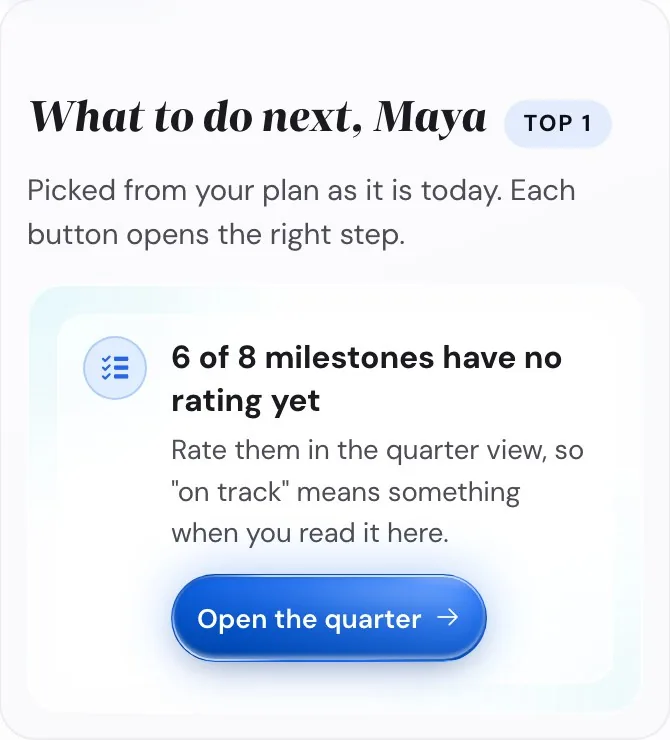
The Plan status light turns yellow when a goal gets no work for 2 weeks.
A tap on the light shows your next steps.
Essentials Mode keeps your inputs to the minimum. Full Mode gives you the whole goal setting system to set up your way.
"Thank you for implementing the custom year feature, which lets me align my goals and plans with my work year and seasonal needs."

Pick the app if you want your values, goals, plans and habits connected, for one payment. If you only want to tick off habits, a habit tracker is quicker.
| What you need | Life Goals App | Habit tracker | Notion or a template | Paper planner |
|---|---|---|---|---|
| Connects your values to today | Yes | No | Build it yourself | No |
| Guides you through goal setup | Yes | No | Build it yourself | Partly, some workbooks |
| Tracks reviews and habits | Yes | Habits only | Build it yourself | Partly, on paper |
| Works offline, no account | Yes | Mostly cloud | Cloud account | Yes, on paper |
| On your phone | Yes, installs to the home screen | Yes | Yes, in the Notion app | No |
| Setup time | Guided start in 6 short days, or all at once | Low | High | Medium |
| Price | $49.99, once | Free or a subscription | Free or a subscription | A new planner each time |
| Best for | A full life goals system | Fast habit logging | Custom systems | People who think on paper |
$49.99
Introductory price.
You pay through Gumroad, and your receipt holds the licence code.
Still not sure? The demo shows the whole app with an example plan. It needs no code.
Try the demoThe worksheets give you the method on paper. The app keeps it going. Every task you add shows the goal it serves. A short review each night and each Sunday shows whether your week still points at your goals. Your streaks and your numbers in Insights update by themselves.
Yes. The demo fills the app with Maya's example plan. It needs no code and no sign-up, and your own plan stays untouched.
You get a system for your whole life plan, from your values down to today's tasks.
Yes. The app updates itself when you open it. Every update to version 1 is included.
Write to support@goalsandprogress.com within 14 days of your purchase, and you get your money back through Gumroad. Your licence code then stops working. The app opens in View only, so you can still read your plan and download it.
It is in your receipt email from Gumroad. If you cannot find it, write to support@goalsandprogress.com and I send it to you again.
No. You enter the licence code once in each browser. Connect your own Dropbox to use one plan on your phone and your computer.
You can do the first setup in one go, or stop halfway and continue later. Or choose Guided start: one short setup step a day, for 6 days. After that, it takes a few minutes a day and ten minutes a week.
Missed days and reviews fade instead of piling up. A Welcome back card shows one next step. You can also mark a day, a week or a month as a break.
Yes. Install it to your home screen, and it opens offline after the first visit.
Only you. Your goals stay in your browser, and in your own Dropbox if you connect it. The app sends no goal content anywhere. It sends anonymous usage counts.
Both follow the same method. The Life Goals Workbook is the printable version. The app adds tracking, reminders and insights. Use either, or both.
Your plan is stored in your browser, and a browser can delete it. The app reminds you about once a week to save your plan as a file, and your own Dropbox can keep a copy. You can load your plan back from either.
Your plan stays yours. You can save it as a file at any time, and print it as checklists.
*Beta testers got the app for free.