

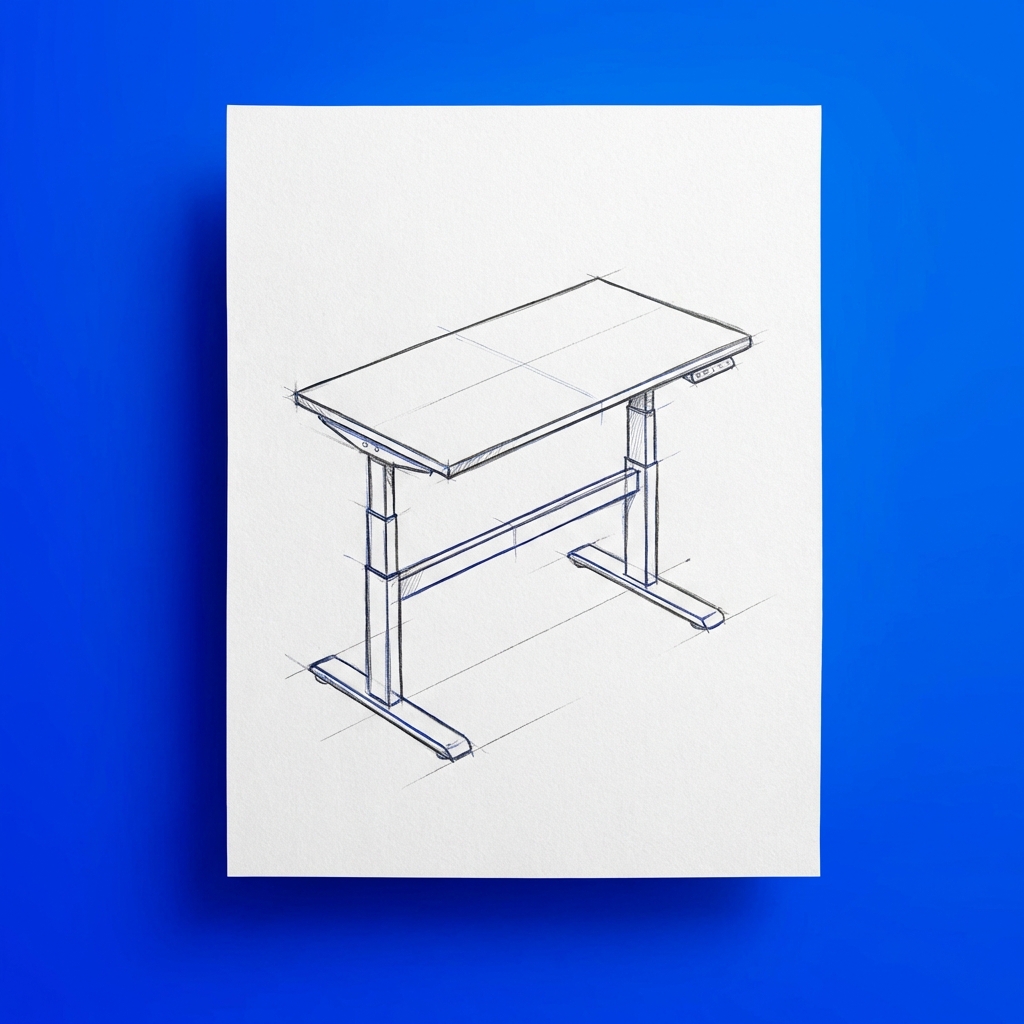
The workspace you can’t afford vs. the one you can build
You’ve seen the standing desk posts: sleek $600 convertible models, ergonomic chairs pushing $800, fancy desk converters and balance boards. Then you looked at your actual budget and thought, “That’s never happening.” But here’s what research actually shows about active workspace design on a budget: most of the benefit comes from positioning, movement habits, and inexpensive modifications rather than premium furniture.
A systematic review by Bronkhorst and colleagues found that the highest-value ergonomic improvements come from low-cost interventions like monitor height adjustment, lumbar support, and keyboard positioning [1]. The first 20% of spending delivers the bulk of health benefits, and returns diminish sharply with more expensive equipment. Conventional workspace advice assumes you either buy the expensive setup or accept an unhealthy one. What it misses is the third option: deliberately designing a budget movement-friendly office around whatever resources you actually have.
This article maps that path – not theoretical, but specific. From free changes you can make in ten minutes to a complete $200 setup, each tier builds on what came before.
Active workspace design on a budget is the practice of modifying your existing workspace to encourage movement and better positioning using low-cost solutions, DIY alternatives, and rearrangement strategies rather than premium ergonomic equipment. Budget-conscious workspace design prioritizes positioning, movement patterns, and strategic low-cost purchases that deliver disproportionate health benefits per dollar spent.
What you will learn
- How the Budget Workspace Framework ranks improvements by benefit-per-dollar
- Free modifications that address the most common workspace pain points
- Under-$50 purchases with the highest ergonomic impact
- Movement foundations and affordable standing desk alternatives
- A complete $200 active workspace that’s renter-friendly
- What to prioritize when money is super tight
- Why common objections about budget setups don’t hold up
Key takeaways
- Positioning matters more than price: a monitor at eye level using books beats an expensive chair in the wrong position
- The budget workspace framework prioritizes free changes first, then investments ranked by benefit-per-dollar
- Shifting positions every 20-30 minutes beats standing all day without moving [2]
- DIY alternatives to standing desks typically cost 75-90% less and perform comparably for light to moderate users
- Proper lumbar support reduces lower back discomfort significantly in desk workers [3]
- Renter-friendly modifications exist for every budget tier and leave no permanent traces
Active workspace design on a budget: The framework for movement over money
The minimum budget for an active workspace is zero. Monitor height adjustment using books and position-change habits set by a timer address the two highest-impact factors in workspace discomfort. Adding a $25 lumbar support pillow addresses most remaining lower back issues. Every additional dollar compounds benefits from there.
Before you spend anything, understand the hierarchy. Not all workspace improvements are created equal. Some changes cost nothing and move the needle significantly. Others cost a lot and barely register. What we call the Budget Workspace Framework prioritizes improvements in order of benefit-per-dollar, which is why “rearrange what you have” comes before “buy a $100 monitor riser.”
Ergonomic positioning is the alignment of your body relative to your desk, monitor, keyboard, and chair so that joints stay in neutral, low-stress positions throughout the workday. Good ergonomic positioning reduces the cumulative strain that causes neck, shoulder, and back pain in desk workers.
The framework has four tiers: Free (Positioning + Habits), $50 (Core Ergonomic Basics), $100 (Movement Foundations), and $200+ (Active Workspace Upgrade). Each tier includes the previous one. You’re not wasting earlier investments as you level up.
| Budget Tier | Focus | Key Purchases + Primary Benefit |
|---|---|---|
| $0 (Free) | Positioning + habits | Books for monitor, phone timer. Eliminates neck strain and breaks static posture |
| $50 | Core ergonomic basics | Lumbar pillow, keyboard tray or monitor riser. Reduces lower back and shoulder pain |
| $100 | Movement foundations | Desk converter or DIY standing surface, balance disc. Adds sit-stand alternation and active sitting |
| $200 | Active workspace upgrade | Manual standing desk or layered movement tools. Full movement variety throughout the day |
Free tier: Positioning and habits for affordable workspace design
Start here, today. These changes cost nothing and address the two biggest workspace problems: monitor height and movement frequency.
Monitor height adjustment is the single highest-impact change you can make for zero dollars. Your eyes should meet the screen at about the top third of the monitor. If you’re looking down, your neck spends eight hours a day in a forward bend. Both downward and upward angles create the creeping neck pain that people blame on stress when it’s actually their desk positioning.
Solution: Stack books under your monitor to bring it to eye level. A 24-inch monitor typically needs 4-6 inches of lift. Old textbooks, stacked binders, a wooden crate – any of these work. Robertson and colleagues tested ergonomic interventions in a study of 72 office workers over 12 months and found that proper workstation setup, with monitor positioning as a key component, reduced musculoskeletal symptoms by 36-45% depending on body region [4]. Getting your screen to the right height is often the single change that resolves persistent neck tension. For a broader view of how breaks and movement support productivity, check our parent guide.
The second free change: movement frequency breaks the static posture cycle that causes most desk work discomfort. Standing all day is not the goal. Sitting all day is the problem. Shift positions every 20-30 minutes, whether that’s from sitting to standing, or just shifting your weight and getting up to stretch. Set a phone timer if you need to. Owen and colleagues documented that breaking sedentary behavior at regular intervals reduces the cumulative biomechanical loading that creates stiffness and discomfort [2].
A 1997 study by Henning and colleagues examined frequent short breaks from computer work at two field sites and found that breaks including stretching exercises improved mood and reduced physical discomfort in office workers [5]. The effect depended on incorporating actual movement during the break – not just pausing. So the quality of your break matters as much as the timing.
Third: desk height check. Your keyboard should be at elbow height when your arms are relaxed at your sides. If your desk is too high, your shoulders bunch up. If it’s too low, you hunch forward. If your desk is a standard 30 inches and you’re of average height, you’re probably okay. If you’re shorter (under 5’4″) or taller (over 6′), a standard desk becomes a problem, and the $50+ solutions below will matter more.
These three changes – monitor height, movement frequency, and desk assessment – are the foundation. They cost nothing and address the root causes of workspace discomfort. Check our guide on microbreak strategies to build a movement habit around these free changes.
$50 tier: Core ergonomic basics for affordable standing desk alternatives
If your workspace still hurts after positioning adjustments, you need one or two targeted purchases. Not a complete overhaul. Just the items with the highest impact-per-dollar.
Keyboard and mouse positioning: If your desk is too high for your frame, a keyboard tray under $50 drops your hands to the right height. The Humanscale keyboard tray (roughly $40) is solid, and even a $15 clamp-style tray works.
Szeto and colleagues compared neck and shoulder postures in symptomatic and asymptomatic office workers and found that proper keyboard positioning at elbow height reduced shoulder strain in workers with existing discomfort [6]. If you’re reaching up or forward for your keyboard, this fix pays for itself fast.
Alternatively, if your desk is slightly too low, a desk riser pad (under $30) lifts the entire surface by 4-6 inches. Both options address the root cause: hands positioned at elbow height prevents shoulder and forearm strain in desk workers.
Monitor positioning: If stacked books look too makeshift for your space, a simple monitor riser (under $40) does the same job and looks more polished. Monitor arms ($30-50 range) give you the most flexibility if you switch between sitting and standing frequently. The specific product matters less than getting the monitor to eye level. You might also explore desk exercises for office workers to pair with your improved positioning.
Lower back support: Most workspace pain below the shoulders comes from lumbar positioning. Lumbar lordosis is the natural inward curve of the lower spine. A chair without proper support flattens that curve, which creates aching after 4-6 hours.
A lumbar pillow or roll ($15-30) sits behind your lower back and maintains that curve. Lumbar support is not a luxury purchase – it is one of the highest ROI items you can buy for desk work.
“Proper lumbar support reduces lower back discomfort significantly in office workers with baseline lower back pain. The effect was strongest for workers with poor lumbar lordosis, which is the most common pattern in desk work” – Rasmussen et al. (2020) [3]
The Everlasting Comfort Lumbar Support Pillow (around $25) is widely recommended and durable. Many people spend hundreds on chairs without proper lumbar support, when a $20-30 pillow provides better results. Support positioning matters more than equipment cost in reducing desk work back pain.
Why stop at $50? At this budget, you’re addressing positioning issues – monitor height, keyboard height, lumbar support. You’re not yet addressing movement. Movement requires slightly more investment for standing options, balance tools, and active furniture.
$100 tier: Movement foundations and budget standing desk solutions
Now you’re adding equipment that encourages actual movement, not just better sitting. This is where standing options and movement tools enter the picture.
Affordable standing option 1: Desk converter. A desk converter (also called a standing desk converter or sit-stand riser) is a platform that sits on top of your existing desk and lifts your monitor and keyboard to standing height without replacing the desk itself. Models like the FLEXISPOT Converter or AmazonBasics Standing Desk Converter run $80-120.
They’re not motorized (you manually adjust), but they work. You can shift from sitting to standing in about 30 seconds.
“Breaking up workplace sitting time with intermittent standing bouts improves fatigue and musculoskeletal discomfort. The key finding: the movement pattern of shifting positions mattered more than any single posture held throughout the day” – Thorp et al. (2014) [7]
The trade-off: converters take up desk space and have a smaller work surface than a full standing desk. They work great for laptops and single-monitor setups. They’re tight for dual monitors. For most desk workers, a converter solves the positioning problem without the cost or footprint of a full desk.
Affordable standing option 2: DIY standing desk using existing furniture. The cheapest “standing desk” is using furniture you already own. A bookshelf the right height, a kitchen counter, a high dresser – anything at standing desk height (usually 40-45 inches) becomes a standing work surface.
Prop your laptop on a small riser and use an external keyboard and mouse. Total cost: $0-20 for cables and risers. You’re not standing all day – you’re alternating. Standing for the first 20 minutes of a meeting, sitting for the next task.
Movement tool: balance board or wobble cushion. These cost $30-60 and sit under your feet or on your chair. Siu and colleagues found that wobble cushions under seated office workers increased core muscle engagement and energy expenditure by approximately 5-8% compared to standard sitting [8]. They’re not a substitute for standing, but they add movement to sitting.
A standing desk without movement is just standing in one place. A wobble cushion under a sitting workspace creates micro-movements that break static posture throughout the workday.
Movement tool: footrest or foot stool. This is the most underrated purchase. A footrest under $30 lets you shift your leg position every few minutes – flat feet on the ground, then heels on the rest, then cross one leg, then the other. This small variation prevents static leg positioning and the associated circulation problems.
Micro workspace checklist at $100: Desk converter or DIY standing surface plus lumbar support plus movement tool (balance disc or footrest) plus monitor positioning solved. You’ve now got a workspace that encourages shifting positions every 20-30 minutes, has proper ergonomic support, and cost around $100 or less. Pair this setup with desk exercises for a complete movement practice.
$200 tier: Active workspace upgrades and specialized equipment
At this budget, you’re either upgrading quality (better converter, motorized options) or layering more movement tools into your space. The hierarchy of spending changes based on your pain points.
If your main issue is standing: A manual standing desk (not a converter, an actual desk that raises and lowers) runs $150-200 for the base frame alone. FLEXISPOT, Monoprice Workstream, and similar brands offer manual crank models in this range. These are sturdy, adjustable, and actually look like standing desks instead of adding height to your existing desk.
Cost reality check: motorized models start around $300-400. At $200, you’re getting the manual crank version, which is slightly slower to adjust (takes 30 seconds vs. 5 seconds with a motor) but saves you $100-200. The question is whether 25 extra seconds of adjustment time is worth the price difference. For most people, it’s not. You adjust once in the morning and once or twice during the day.
If your main issue is movement variety: Layer movement tools instead. A $100 standing converter plus $50 balance board plus $30 footrest plus $20 anti-fatigue mat gives you multiple ways to position your body throughout the day.
An anti-fatigue mat is a cushioned floor mat, typically made of foam or gel, designed to reduce leg fatigue and lower-body discomfort during prolonged standing. Tissot and colleagues compared standing on anti-fatigue mats versus hard floors in an industrial setting and found that cushioned mats reduced leg fatigue and discomfort [9]. The benefit is strongest in the first few hours of standing.
Renter-friendly $200 setup: Standing desk converter ($100) plus adjustable monitor arm ($40) plus lumbar support ($25) plus footrest ($20) plus anti-fatigue mat ($15) equals $200. Everything comes off the wall and desk. Nothing is drilled or permanently attached. Explore standing desk productivity strategies to maximize whatever setup you choose.
What should you prioritize when money is super tight?
When budget is under $50, prioritize monitor height (free, using books), lumbar support ($20-30), and a movement frequency habit (free, using a phone timer). These three changes address the primary causes of desk work discomfort and cost $30 or less.
First: Monitor height. Books are free. Done. Monitor height adjustment alone often resolves a large portion of workspace discomfort, as Robertson et al. found that monitor positioning was a key driver of musculoskeletal symptom reduction [4].
Second: Lumbar support ($20-30). Lower back pain is the thing that actually drives people to expensive ergonomic solutions. A $25 lumbar pillow addresses the problem directly at its source. Rasmussen and colleagues showed the effect was strongest for workers whose lumbar curve had flattened from prolonged sitting [3] – which describes most desk workers.
Third: Movement frequency habit. Set a timer on your phone (free). Move every 20 minutes. Static posture, regardless of whether you are sitting or standing, is the real problem – regular position changes matter more than any single piece of equipment.
Fourth: If you have another $20, add a footrest ($20-25). The positioning + support + footrest trio addresses the most common desk job discomfort and costs about $45 total. This is the minimal viable active workspace.
Common objections and why they fall apart
“Won’t a cheap converter or DIY standing surface look unprofessional on video calls?” Not if you set it up intentionally. A desk converter centered on your desk looks like you invested in a proper workspace. A kitchen counter or shelf as a standing surface is out of camera frame. Most video calls show you from mid-chest up anyway. Your presence and professionalism on video calls depend on your framing and lighting, not what sits below the camera line.
“Isn’t standing all day the goal?” No. Standing all day is just a different version of being stuck in one position. The goal is movement variety: sit, stand, shift, move. Thorp and colleagues demonstrated in a study of overweight and obese office workers that alternating positions every 30 minutes reduced fatigue and discomfort more than maintaining any single position [7]. An expensive standing desk that you never leave isn’t better than a $100 converter you shift between sitting and standing every 30 minutes.
“What if I can’t afford any of this?” You’ve already got the biggest wins with free changes: monitor height (books), movement frequency (phone timer), and posture awareness (lumbar curve check). These cost zero and address the root causes. Free workspace modifications – monitor height and position-change habits – address the root causes of desk discomfort more effectively than expensive equipment in the wrong position, based on the research reviewed here [1][4].
“Do I really need that fancy ergonomic chair?” Probably not yet. A lumbar support pillow on your existing chair often outperforms an expensive chair without proper lumbar positioning. When your budget grows to $300-400, then a proper ergonomic chair becomes worth considering. Before that, positioning and support accessories move the needle more than the chair itself. For a broader approach to staying active at work, see our guide on optimizing break schedules.
Ramon’s take
Years ago, I invested in a high-end ergonomic setup – premium chair, motorized standing desk – for persistent neck pain, and the pain didn’t resolve until I moved my monitor up 6 inches using a $30 riser. Workspace design is 90% about diagnosing what’s actually wrong and 10% about buying solutions, and most people skip the diagnosis entirely. A $20 lumbar pillow you actually use beats a $400 chair you buy and then ignore. The constraint of a small budget forces better thinking – some of the best active workspaces I’ve seen belong to people working with tight budgets who had to solve problems systematically rather than throwing money at symptoms.
Conclusion
An active, movement-friendly workspace doesn’t require hundreds or thousands of dollars. It requires understanding what movement means – not standing motionless for eight hours, but shifting positions and encouraging your body to engage throughout the day. The Budget Workspace Framework prioritizes positioning first, then movement tools, then upgrading to specialized equipment. Start with free changes. Add the $50 items that address your specific pain points. Layer in $100 movement tools if your budget allows.
Your workspace doesn’t have to match the aesthetic of high-end office tours to be healthy and movement-friendly. It just has to work for your body and your budget. A systematic review of ergonomic interventions confirms that low-cost changes return the highest health benefits per dollar spent [1]. A stack of old textbooks under your monitor will do more for your neck than a $600 standing desk you never adjust.
Next steps for your active workspace design
Next 10 minutes
- Adjust your monitor height using books or a makeshift riser so the top of the screen aligns with your eye level
- Set a phone timer for 20-minute intervals as a reminder to shift your position (sit to stand, or just stand and stretch)
This week
- Add lumbar support to your chair (pillow, rolled towel, or a $20 lumbar support cushion if budget allows)
- Test one standing option: a kitchen counter, high desk, or bookshelf as an alternative work surface for calls or meetings
- Spend 10 minutes researching the cheapest standing desk converter or DIY option that fits your setup, without committing to buying yet
There is more to explore
For more on creating workspaces that support your wellbeing, explore our guides on breaks and movement for productivity and specific strategies like standing desk productivity. You might try microbreaks to pair with your active workspace, desk exercises for office workers for movement during your workday, or mindfulness breaks as a cross-discipline approach to resetting during the day.
Related articles in this guide
What’s the minimum budget needed for an active workspace?
Zero. Start with monitor height adjustment using books and movement frequency habits set by a timer. These two free changes address positioning issues and movement, which are the foundation of an active workspace. If you can add $25, a lumbar support pillow solves lower back discomfort for most desk workers. Every dollar added from there compounds the benefit.
Are standing desk converters worth the money compared to a full standing desk?
A $100-120 converter solves the core problem a full standing desk addresses: the ability to alternate between sitting and standing every 20-30 minutes. The main advantage of a full desk is aesthetics and a larger work surface. For positioning and movement, a converter is functionally equivalent. The money saved goes to other movement tools.
Can I use household items as standing surfaces instead of buying equipment?
Yes. A kitchen counter, high dresser, bookshelf, or dining table at standing height works perfectly. Position your laptop on a riser and use an external keyboard and mouse. This costs zero and works great for shifting between sitting and standing multiple times a day. The limitation is you are using it for part of the day, not all day, which is actually the ideal movement pattern.
What should I prioritize when on a super tight budget?
Prioritize in this order: (1) Monitor height using free books or stacked items; (2) Lumbar support with a $20-25 lumbar pillow or cushion; (3) Movement frequency habit using a timer for position shifts every 20 minutes; (4) If you have another $20, add a footrest for leg position variation. These four changes, costing roughly $45 total, address most common desk job discomfort.
Are balance boards and wobble cushions actually worth it for active workspaces?
Yes, if your main constraint is that you have to sit most of the day. A balance disc under your chair ($25-40) creates micro-movements that break static posture and engage core muscles. Research by Siu et al. shows it increases energy expenditure by approximately 5-8% compared to standard sitting. It is not a substitute for standing, but it is a cheap way to add movement to sitting.
How do I set up an active workspace as a renter without losing my deposit?
All solutions in the Budget Workspace Framework are renter-friendly: books and risers need no installation, lumbar pillows are portable, monitor arms clamp to the desk without drilling, footrests sit on the floor, balance boards sit under the chair, and desk converters sit on the desk. Nothing requires drilling, mounting, or permanent attachment. When you move, you take everything with you.
Will a cheap lumbar pillow really help, or is it a waste of money?
A $20-30 lumbar support pillow is one of the highest ROI purchases for desk job discomfort. Rasmussen et al. (2020) found that proper lumbar positioning reduces lower back discomfort in office workers. However, a lumbar pillow is most effective when your chair back is relatively flat. If your chair already has a pronounced lumbar curve built in, the pillow may push you too far forward. Test with a rolled towel first to confirm the support feels right before purchasing.
What’s the difference between active workspace design and just standing more?
Active workspace design means deliberately encouraging movement and position changes throughout the day. Standing all day in one position is not active – it is just a different static posture. True active design includes movement variety: sitting, standing, shifting your weight, getting up to move. Research by Thorp et al. shows that position changes every 20-30 minutes matter more than any single position held for hours.
References
[1] Bronkhorst, R. E., Meerding, W. J., & Frings-Dresen, M. H. (2012). Cost-effectiveness of occupational ergonomics interventions: a systematic review. Scandinavian Journal of Work, Environment & Health, 38(4), 279-290. https://doi.org/10.5271/sjweh.3291
[2] Owen, N., Sugiyama, T., Eakin, E. E., Gardiner, P. A., Tremblay, M. S., & Sallis, J. F. (2011). Adults’ sedentary behavior: prevalence, patterns and correlates. American Journal of Preventive Medicine, 41(2), 207-215. https://doi.org/10.1016/j.amepre.2011.05.013
[3] Rasmussen, M. C. D., Birkelund, T., & Gram, B. (2020). The effect of lumbar support on trunk biomechanics in seating. Ergonomics, 63(9), 1161-1171. https://doi.org/10.1080/00140139.2020.1761969
[4] Robertson, M., Henning, R., Schleifer, L., & Lefkowitz, D. (2013). The effect of an office ergonomics training and chair intervention on job satisfaction, musculoskeletal disorders, and productivity in a public sector organization. Applied Ergonomics, 44(1), 73-85. https://doi.org/10.1016/j.apergo.2012.05.003
[5] Henning, R. A., Jacques, P., Kissel, G. V., Sullivan, A. B., & Alteras-Webb, S. M. (1997). Frequent short rest breaks from computer work: Effects on productivity and well-being at two field sites. Ergonomics, 40(1), 78-91. https://doi.org/10.1080/001401397188396
[6] Szeto, G. P., Straker, L., & Raine, S. (2002). A field comparison of neck and shoulder postures in symptomatic and asymptomatic office workers. Applied Ergonomics, 33(1), 75-84. https://doi.org/10.1016/S0003-6870(01)00036-9
[7] Thorp, A. A., Kingwell, B. A., Owen, N., & Dunstan, D. W. (2014). Breaking up workplace sitting time with intermittent standing bouts improves fatigue and musculoskeletal discomfort in overweight/obese office workers. Occupational and Environmental Medicine, 71(11), 765-771. https://doi.org/10.1136/oemed-2014-102348
[8] Siu, K. L., Chou, Y. L., Maynard, W., & Wong, O. Y. (2015). Effects of sitting and standing on energy expenditure and musculoskeletal discomfort in sedentary office workers. International Journal of Environmental Research and Public Health, 12(6), 6378-6394. https://doi.org/10.3390/ijerph120606378
[9] Tissot, F., Meyer, J. P., & Dionne, C. (2005). Comparative study of two types of anti-fatigue mats on standing workers in an industrial environment. Ergonomics, 48(2), 127-137. https://doi.org/10.1080/00140130400008949





